Customer Portal Built for Your Business
Give your customers 24/7 self-service access to invoices, order history and account details - with passwordless magic-link login and secure, isolated authentication.
Start Free 14-Day TrialPasswordless Access
Customers sign in with a magic link sent to their email. No passwords to remember, no reset requests - just instant, secure access.
24/7 Self-Service
Customers view invoices, download PDFs, check order history and update their profile any time - without calling or emailing your team.
Secure & Isolated
The portal uses a completely separate authentication system from your admin panel. Customers never see your business operations or staff tools.
How the Customer Portal Works
1. Sign In with Magic Link
Your customers visit the portal login page, enter their email and receive a secure magic link. Clicking it signs them in instantly - no password needed.
2. Secure & Single-Use
Each magic link expires after 15 minutes and can only be used once. Even if an email is intercepted, the link cannot be reused.
3. Self-Service Dashboard
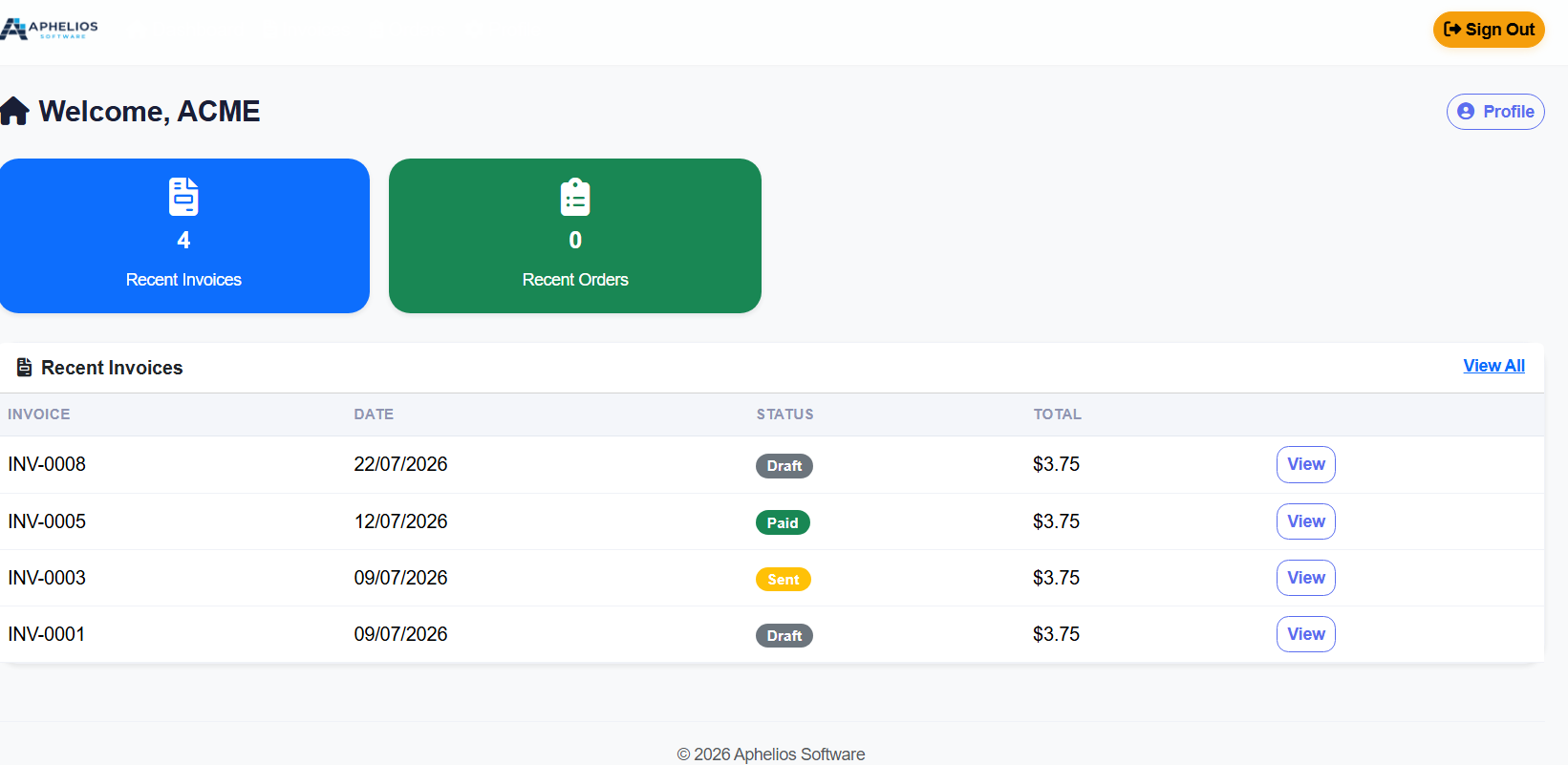
Once logged in, customers see their recent invoices and orders at a glance. They can view details, download PDFs and manage their personal information.
Dashboard View
Customers land on a clean dashboard showing their recent invoices, orders and account summary - everything they need at a glance.
Everything Your Customers Need
Invoice History
Customers can view every invoice issued to them in one place. Each invoice shows the date, due date, status (paid, sent, overdue) and total. Status badges use clear colours so customers know immediately what needs attention.
PDF Invoice Downloads
Every invoice can be downloaded as a professional A4 PDF. The PDF includes your company logo, branding colours, itemised line items, quantities, unit prices and the grand total - ready to print or save.
Order History
Customers see all their past orders sorted by date. Each order shows the items purchased, quantities, unit prices and the order total. Order details are parsed and displayed clearly from the checkout system.
Magic-Link Authentication
Passwordless login means no forgotten passwords, no reset forms and no support tickets. Each login link is secure, single-use and expires in 15 minutes.
Profile Management
Customers can update their name, phone number and address directly from the portal. Changes take effect immediately - no need to email your team to update contact details.
Multi-Business Support
If a customer does business with multiple companies using Aphelios, they can select which business to access after signing in. Each company’s data is completely isolated and secure.
Customer Portal Screens
Every screen is designed to be clear, professional and easy to navigate.
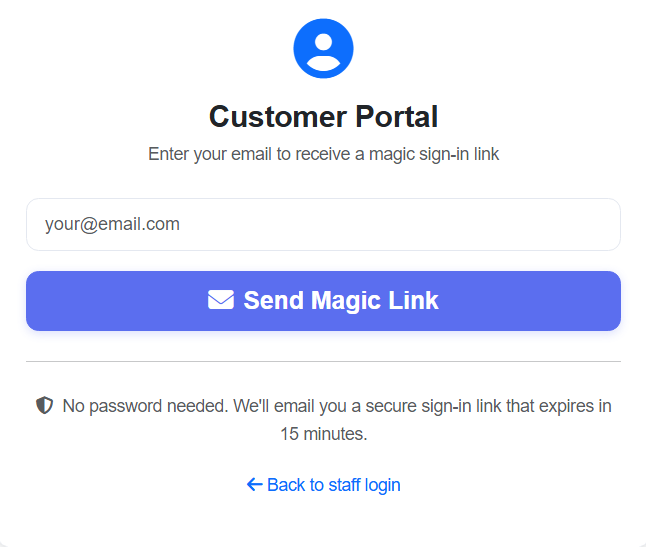
Magic Link Login
Passwordless sign-in with a secure email link.
Dashboard
Recent invoices, orders and account summary at a glance.
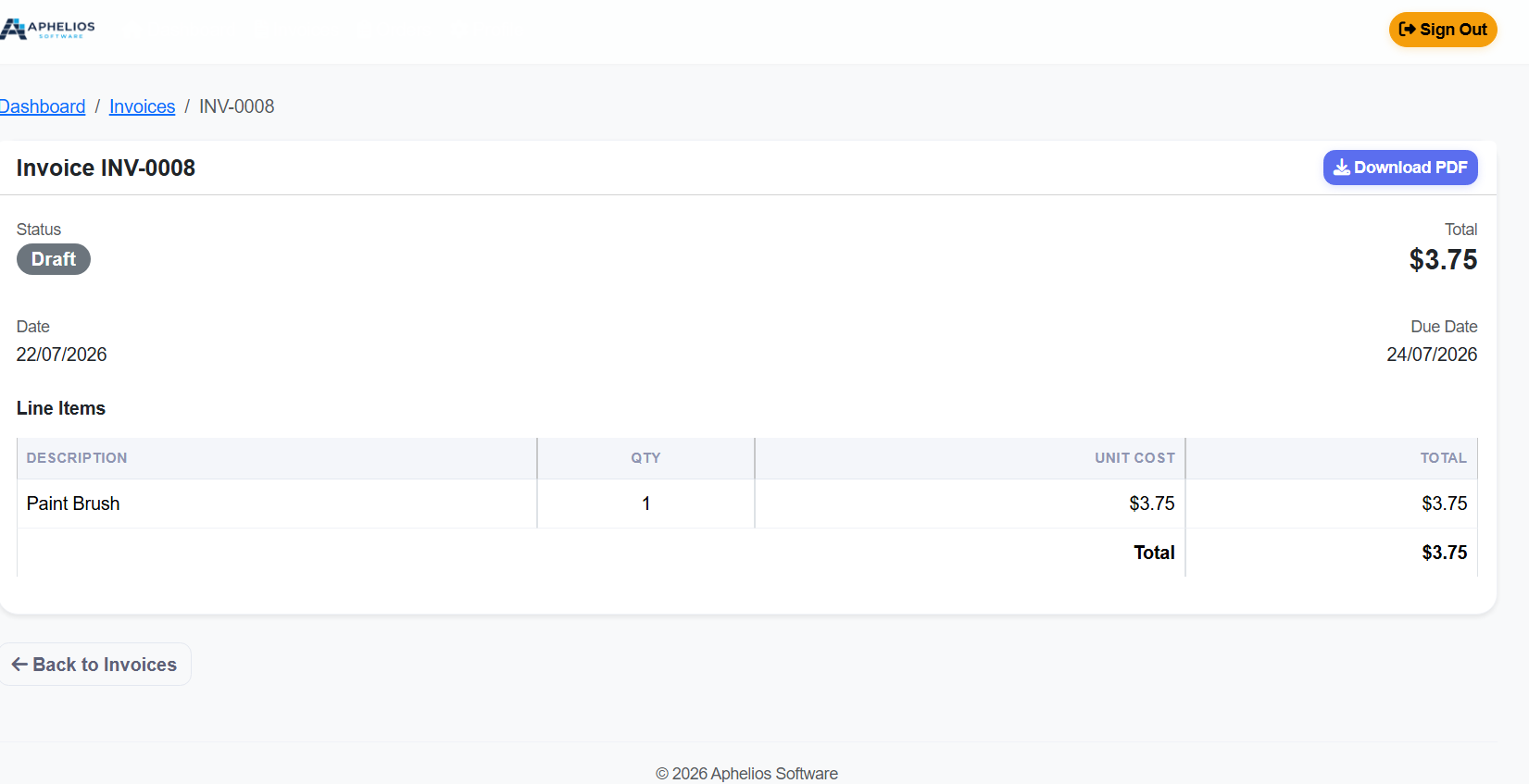
Invoices
Full invoice history with PDF download and status tracking.
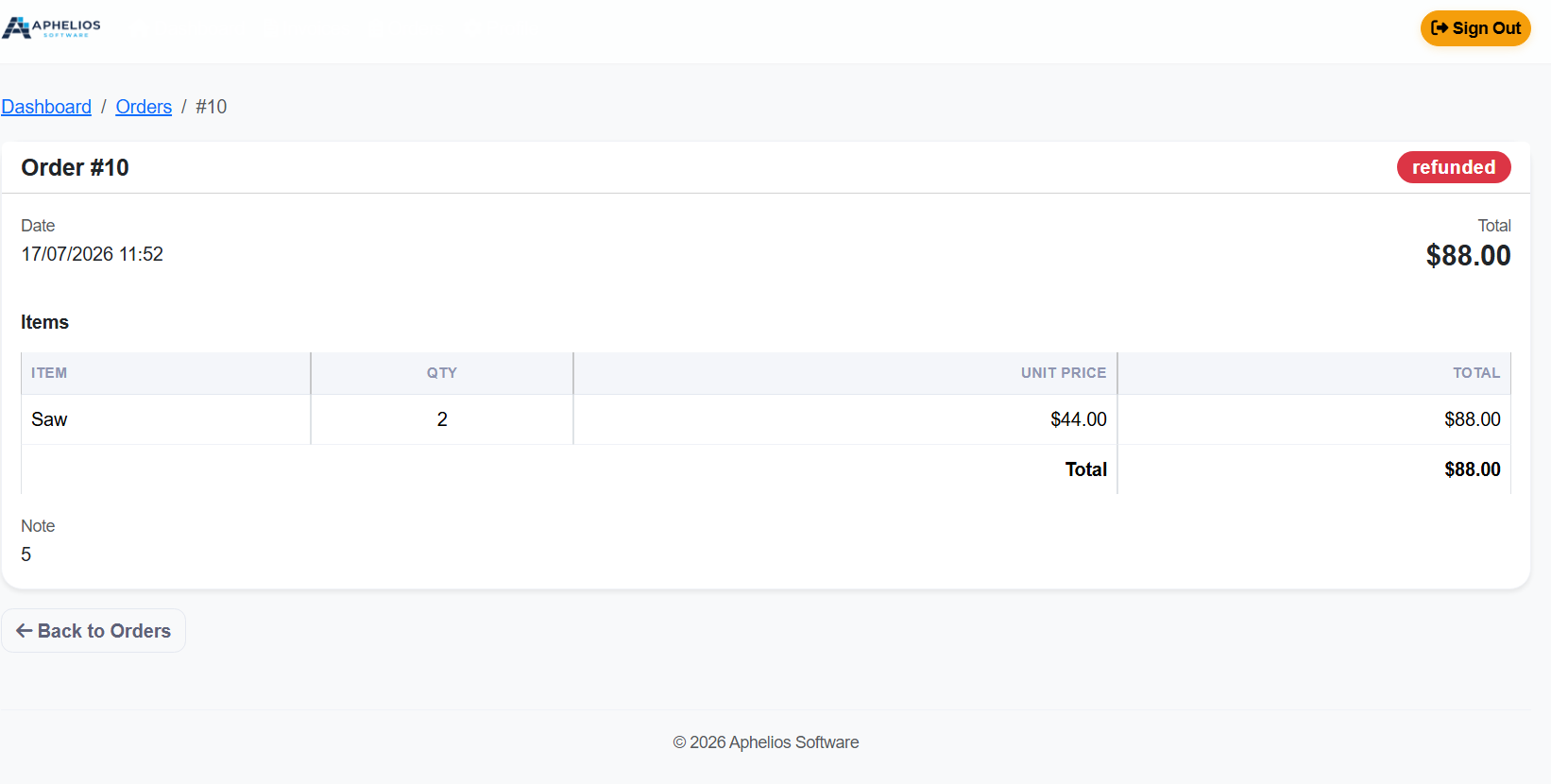
Orders
Complete order history with item-level details and totals.
Enterprise-Grade Security
The Customer Portal is completely separate from your admin panel. Customers can never access staff features, inventory, settings or any other business data.
Separate Auth Scheme
The portal uses its own authentication cookie and login path, completely isolated from the staff authentication system.
Single-Use Tokens
Every magic link is secure and single-use. Tokens expire after 15 minutes and cannot be reused.
Rate Limited
Login attempts are protected against abuse with built-in security controls.
Customer Portal Software for UK Small Businesses
A customer portal gives your clients 24/7 self-service access to their invoices, orders and account information. Instead of calling or emailing your team to request copies of invoices, check order status or update their contact details, customers can log in securely and find everything themselves.
Aphelios Software provides a complete Customer Portal that integrates directly with your invoicing, sales and order management. Every customer with an invoice or order history can be given portal access in seconds. The portal is fully multi-tenant, meaning each customer only sees their own data - completely isolated from other customers and from your internal business operations.
Passwordless Login: Secure and Simple
Traditional customer portals require customers to create and remember yet another username and password. This leads to forgotten credentials, password reset requests and frustrated users. Aphelios solves this with magic-link authentication: customers simply enter their email address, receive a secure link and click to sign in. No passwords, no reset forms, no support tickets.
Each magic link is secure and single-use. Links expire after 15 minutes and can only be used once, so even if an email is intercepted the link cannot be reused.
Invoice Access and PDF Downloads
One of the most common reasons customers contact businesses is to request copies of invoices. With the Aphelios Customer Portal, customers can view their full invoice history online and download professional A4 PDF copies at any time. Each invoice shows the invoice number, date, due date, payment status, itemised line items and totals - exactly what your customers need for their records.
Invoices are generated with your own branding (logo, company colours, header and footer text). The PDFs are professional, print-ready documents that reflect your business identity. Customers no longer need to email your team asking for invoices - they can access everything instantly.
Order History and Tracking
Customers can view their complete order history, including items purchased, quantities, unit prices and totals. Orders are listed in chronological order with clear status indicators. This is especially valuable for businesses that take orders through the Aphelios online menu system or point of sale - customers can look up past purchases without any staff assistance.
Profile Management
Customers can update their own name, phone number and postal address directly from the portal. This reduces data entry errors (customers enter their own details correctly) and eliminates the back-and-forth of emailing updates to your team. The email address on file cannot be changed through the portal for security reasons, but all other contact details are self-managed.
Multi-Tenant Support
If a customer does business with multiple companies that all use Aphelios Software, they can access all of their accounts from a single login. After signing in with their email address, they are prompted to select which business they want to view. Each company’s data is fully isolated, so customers never see data belonging to other businesses.
Separate Authentication, Complete Isolation
The Customer Portal uses its own separate login system that is completely isolated from your staff accounts. Customers can never access the admin dashboard, inventory, sales data, settings or any other internal business features. You can give customers portal access without any risk to your operational data.
The portal is protected against abuse with built-in security controls. Sessions expire after a period of inactivity, and the portal uses the same enterprise security standards as the rest of the platform including HTTPS encryption.
Customer Portal Guides
Customer Portal Software UK 2026
Complete guide to customer portal software for UK small businesses.
Read moreBenefits of Self-Service Portals UK
Discover how self-service portals reduce admin and improve satisfaction.
Read moreImprove CX with a Business Portal
How a customer portal improves experience and builds loyalty.
Read morePortal vs Email for Invoicing
Why self-service portals beat email for invoice and order management.
Read moreCustomer Portal for Retailers UK
Why UK retailers need a customer portal in 2026.
Read moreSet Up a Customer Portal
Step-by-step guide to setting up a customer portal for your business.
Read moreFrequently Asked Questions
What is a customer portal?
A customer portal is a secure online area where your customers can log in to view invoices, download documents, check order history and manage their account details without contacting your team.
How do customers log in to the portal?
Customers use magic-link authentication. They enter their email address on the portal login page, and a secure one-time link is sent to their inbox. Clicking the link signs them in instantly - no password to remember or type.
Is the customer portal secure?
Yes. The portal uses a completely separate login system from your staff accounts. Each magic link is secure and single-use, expires after 15 minutes, and login attempts are protected with built-in security controls.
Can customers download invoices as PDFs?
Yes. Every invoice in the portal includes a Download PDF button. The PDF is generated with your company branding (logo, colours, header and footer) and includes itemised line items, quantities, unit prices and totals.
Can customers update their own details?
Yes. Customers can update their name, phone number and postal address from the My Profile page. Changes save instantly. The email address is locked for security reasons.
How do customers access the portal?
Customers visit the portal login page at app.apheliossoftware.com/CustomerPortal/Login and enter their email address. A secure magic link is sent to their inbox - clicking it signs them in instantly with no password needed.
Start Your Free Trial Today
Give your customers 24/7 self-service access with the Aphelios Customer Portal. Start your 14-day free trial - no commitment, no credit card required.
Start Free Trial