What Is a POS System? A Plain-English Guide for UK Small Businesses 2026
Written by Calvin Lo, Founder of Aphelios Software | July 2026 | 10 min read
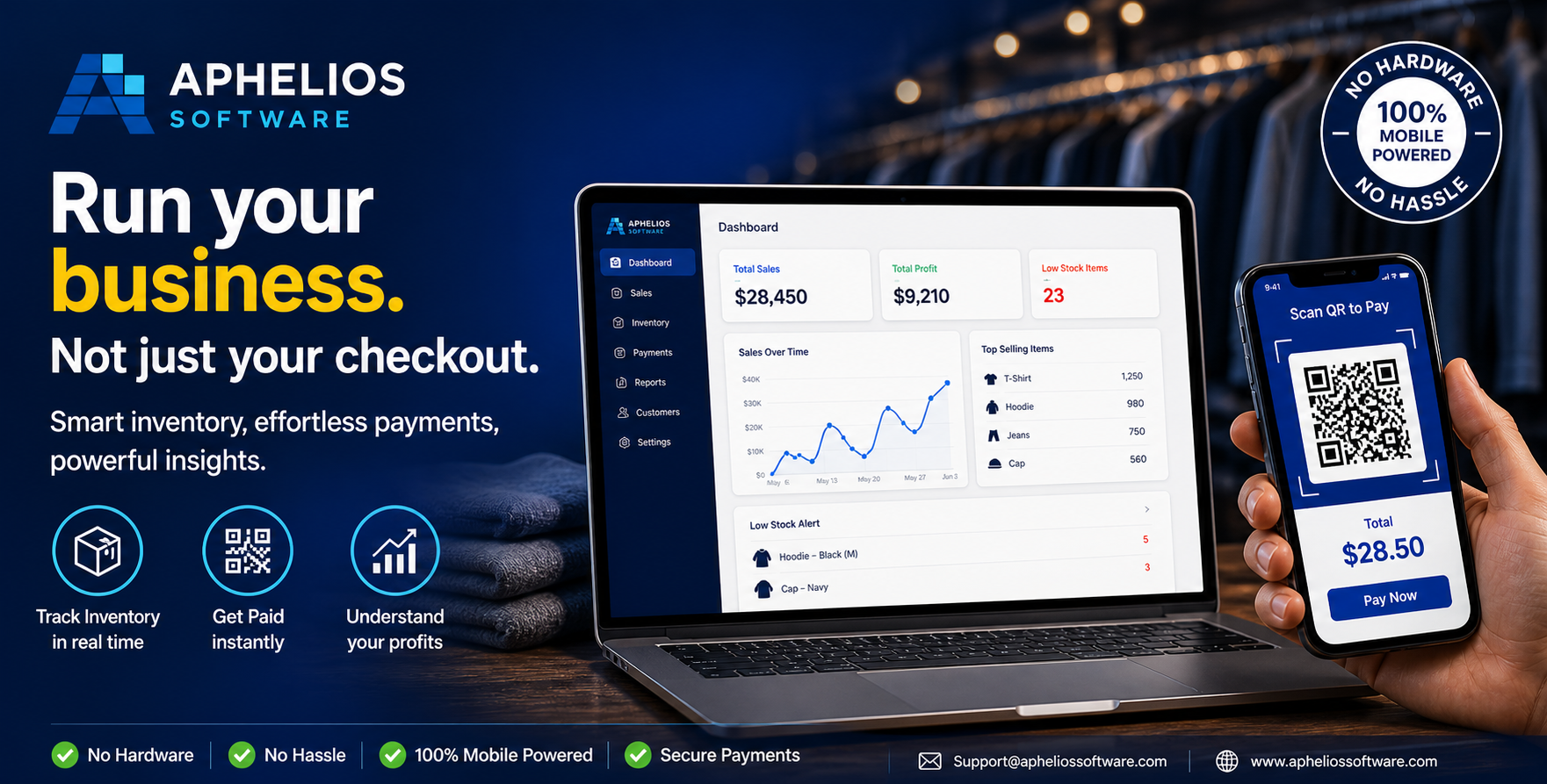
If you have ever walked into a shop, cafe, or restaurant and watched a staff member tap a screen to complete your purchase, you have seen a POS system in action. But what exactly is a POS system, and why has it become such an essential piece of technology for UK small businesses?
In this plain-English guide, we explain what a POS system does, how it has evolved from the old-fashioned cash register to today's powerful cloud platforms, what components make up a modern system, the different types available, and how to choose the right one for your business. No jargon, no assumptions - just a clear explanation of everything you need to know.
What Does a POS System Actually Do?
At its simplest, a POS (Point of Sale) system is where your customer pays for products or services. But in 2026, a POS system does far more than process a payment. It is the central hub of your business operations, handling multiple tasks simultaneously every time a transaction takes place.
- Processes payments - accepts cash, contactless cards, chip-and-pin, Apple Pay, Google Pay, and other payment methods
- Records sales - logs every transaction with details including items sold, quantity, price, time, and payment method
- Tracks inventory - automatically deducts sold items from your stock levels and alerts you when items are running low
- Generates receipts - prints or emails receipts to customers
- Produces reports - creates sales reports showing daily, weekly, and monthly performance, best-selling products, and revenue trends
- Manages customers - stores customer purchase history for loyalty programs and targeted marketing
- Handles staff management - tracks employee sales performance, manages shifts, and controls access permissions
In short, a POS system is where the physical act of selling meets the digital act of recording, analysing, and managing your business data. Every sale that passes through your POS creates a data point that helps you make better business decisions.
A Brief History: From Cash Registers to Cloud POS
Understanding how POS systems have evolved helps explain why modern systems are so much more capable than their predecessors.
The Mechanical Cash Register (1879–1970s)
The first cash register was invented by James Ritty in 1879 to prevent employee theft. It was a purely mechanical device that recorded the amount of each sale on paper tape. It could not track what was sold, only how much money was taken. For nearly a century, this was the standard "point of sale" device in shops across the world.
Electronic Cash Registers (1970s–1990s)
Electronic cash registers replaced mechanical ones in the 1970s, adding basic digital calculations, receipt printing, and simple transaction logging. They were faster and more reliable, but still limited to recording sales totals. Inventory management required separate manual systems - usually paper ledgers or early spreadsheets.
Traditional EPOS Systems (1990s–2010s)
Electronic Point of Sale (EPOS) systems arrived in the 1990s, combining dedicated hardware with software that could track individual products, manage inventory, and generate basic reports. These systems ran on local computers and were a major step forward, but they were expensive to install, required IT expertise to maintain, and stored data on-site - meaning you could only access reports from the physical location.
Cloud POS and Mobile POS (2010s–Present)
Cloud POS systems represent the current generation of point-of-sale technology. Instead of running on a local computer, they operate through the internet, storing data in the cloud. This means you can access your sales data, inventory levels, and reports from any device - your phone, a tablet, or a laptop - from anywhere in the world.
Cloud POS systems also support mobile POS, where your phone or tablet becomes the checkout terminal. This has been transformative for market traders, pop-up shops, food trucks, and mobile businesses that need to accept payments without a fixed till point.
The evolution from mechanical cash register to cloud POS has turned a simple payment device into a comprehensive business management platform. Today's POS systems handle payments, inventory, customer relationships, staff management, and business analytics - all from a single dashboard.
Components of a Modern POS System
A modern POS system is made up of three core components: software, hardware, and payment processing. Understanding each component helps you evaluate different systems and avoid paying for capabilities you do not need.
POS Software
The software is the brain of the system. It handles order management, inventory tracking, reporting, customer data, and staff permissions. Modern POS software typically runs as a web application, meaning you access it through a browser or dedicated app rather than installing it on a specific computer.
When evaluating POS software, look at the features that matter most to your business type. A retail shop needs strong inventory and barcode scanning. A restaurant needs table management and modifiers. A takeaway needs speed and delivery platform integration. A market trader needs mobile capability and offline mode. The right software for your business is the one that handles your specific workflow most efficiently.
POS Hardware
Hardware includes the physical devices you use to run the POS: the terminal or screen, card payment reader, receipt printer, cash drawer, barcode scanner, and kitchen display. The beauty of modern cloud POS systems is that they often work with consumer devices you may already own - an iPad, an Android tablet, or even a smartphone can serve as the main terminal.
This dramatically reduces the upfront hardware cost compared to traditional EPOS systems, which required proprietary terminals costing hundreds or thousands of pounds. Some businesses run their entire POS on a single tablet with a card reader, while larger operations may add a dedicated terminal, receipt printer, and kitchen display.
Payment Processing
Payment processing is the system that handles the actual transfer of money from the customer's card or digital wallet to your bank account. In the UK, the most common payment processors for small businesses are Stripe, Square, Zettle, and SumUp. Many POS systems integrate directly with one of these processors, which means payments are recorded automatically in your sales data.
When comparing payment processing, look at the transaction fee (typically 1.4% to 2.5% per card transaction in the UK), whether there is a monthly fee, how quickly funds settle into your bank account, and which payment methods are supported. The best POS systems use Stripe as their payment backbone because it supports all major UK payment methods - contactless, chip-and-pin, Apple Pay, Google Pay, and online payments - through a single integration.
Discover our POS System with integrated Stripe payments, real-time inventory, and online ordering built for UK small businesses.
Types of POS Systems
Not all POS systems are the same. There are four main types, each suited to different business needs and budgets.
1. Traditional EPOS Systems
Traditional EPOS systems consist of dedicated hardware and software installed on-site. They are reliable and fast, with no dependency on internet connectivity for basic operations. However, they are expensive to install (often £1,000–£5,000 upfront), require IT support for updates and maintenance, and store data locally - meaning you cannot access reports remotely without additional setup.
Traditional EPOS suits large retailers, established restaurants, and businesses with dedicated IT support. For most small businesses in 2026, they represent an unnecessarily heavy and expensive option.
2. Cloud POS Systems
Cloud POS systems run through the internet and store data on remote servers. You access the system through a browser or app on any device. Benefits include low upfront costs (often just a monthly subscription), automatic software updates, remote access to data, easy scaling, and integration with other cloud services like accounting software and e-commerce platforms.
The main consideration is internet dependency. If your connection drops, some cloud POS systems may have limited functionality, though many now include offline mode that processes transactions locally and syncs when connectivity returns. Cloud POS is the most popular type for UK small businesses in 2026.
3. Mobile POS Systems
Mobile POS (mPOS) systems turn a smartphone or tablet into a complete checkout terminal using a small card reader that attaches to the device. They are ideal for businesses that need to accept payments away from a fixed location - market stalls, food trucks, event vendors, mobile hairdressers, and pop-up shops.
Mobile POS systems are typically the most affordable option, with free software plans and card readers available from providers like Square and Zettle. The trade-off is that they usually offer fewer features than full cloud POS systems - limited inventory management, no kitchen display integration, and basic reporting. For businesses that need more than just payments, a full cloud POS is a better investment.
4. Hybrid POS Systems
Hybrid POS systems combine cloud-based software with local processing capabilities. They store data in the cloud for remote access but can process transactions locally when the internet is unavailable. This gives you the flexibility and remote access of cloud POS with the reliability of a traditional system.
Hybrid systems suit businesses that cannot afford any downtime - busy restaurants, high-volume retail shops, and takeaway operations where an internet outage during peak hours would be costly. They are typically more expensive than pure cloud systems but less expensive than fully traditional EPOS setups.
Key Features to Look For in a POS System
The features that matter most depend on your business type, but certain capabilities are universally valuable for UK small businesses in 2026.
- Inventory management - Real-time stock tracking, low-stock alerts, and ideally recipe-level ingredient deduction for food businesses
- Payment versatility - Support for contactless, chip-and-pin, Apple Pay, Google Pay, and cash in a single integrated terminal
- Sales reporting - Daily, weekly, and monthly reports showing revenue, best sellers, peak hours, and staff performance
- Customer management - Purchase history tracking, loyalty programs, and marketing tools
- Online ordering - A built-in ordering channel that lets customers order from your website without paying delivery platform commissions
- Offline mode - The ability to process transactions even when the internet is down
- Multi-location support - Centralised management if you operate more than one site
- Integrations - Connections to accounting software (Xero, QuickBooks), e-commerce platforms, and delivery services
How Much Does a POS System Cost in the UK?
POS system costs in the UK vary widely based on the type of system, the features included, and the provider. Here is a breakdown of typical costs for 2026:
| Cost Category | Budget Range | Mid-Range | Premium |
|---|---|---|---|
| Monthly subscription | Free – £30/mo | £30 – £80/mo | £80 – £200+/mo |
| Card reader / terminal | £0 – £50 | £50 – £200 | £200 – £600+ |
| Transaction fees | 1.5% – 2.5% | 1.4% – 2.0% | 1.2% – 1.8% |
| Additional hardware | N/A | £100 – £300 | £300 – £1,000+ |
The most affordable option is not always the cheapest in the long run. A free POS that lacks inventory management might save you £30 per month on subscription but cost you hours of manual stock counting and hundreds of pounds in preventable waste. Always evaluate the total cost of ownership, including the time savings and revenue improvements a more capable system provides.
How to Choose the Right POS System
Choosing a POS system comes down to understanding your specific business needs and matching them against what each system offers. Here is a practical decision framework.
Step 1: Define Your Primary Need
What is the single biggest problem you need your POS to solve? For a market trader, it might be mobile payments. For a restaurant, it might be table management and kitchen display. For a retail shop, it might be inventory tracking and barcode scanning. Start with your primary need and evaluate systems based on how well they address it.
Step 2: List Your Must-Have Features
Separate your requirements into must-haves and nice-to-haves. Must-haves are features without which the system cannot do its job for your business. Nice-to-haves are features that would be useful but are not essential. This prevents you from overpaying for capabilities you will never use.
Step 3: Calculate Your Budget
Factor in the monthly subscription, hardware costs, transaction fees, and any add-on modules. Calculate the total cost over 12 months, not just the headline monthly price. A system at £29 per month with lower transaction fees may cost less per year than a "free" system with higher per-transaction charges.
Step 4: Test Before You Commit
Most POS providers offer free trials or demo periods. Use them. Process some real transactions, check the reporting, test the inventory features, and get your staff comfortable with the interface before making a decision. A system that looks perfect on a demo page might not fit your actual workflow.
Step 5: Check Integration Compatibility
Make sure the POS integrates with the other tools you already use - your accounting software, e-commerce platform, delivery services, and payment processor. A POS that creates data silos instead of connecting your systems will create more work, not less.
Why POS Systems Matter More in 2026
The importance of a good POS system has grown significantly in recent years. UK consumers now overwhelmingly prefer contactless and digital payments. Online ordering has become a permanent expectation, not a pandemic-era convenience. Delivery platforms have reshaped how food businesses operate. And the availability of affordable AI-powered tools means that even small businesses can access inventory forecasting, automated reordering, and business intelligence that were previously only available to large chains.
A POS system is no longer just a till - it is the operating system of your business. The data it generates informs your purchasing decisions, staffing schedules, marketing strategies, and growth plans. Choosing the right system is one of the most impactful decisions a small business owner can make.
For a comprehensive comparison of specific POS systems, see our Best POS System for Small Business UK 2026 guide.
Frequently Asked Questions
What is a POS system?
A POS (Point of Sale) system is the combination of hardware and software that a business uses to process transactions, manage sales, and track inventory. Think of it as a modern till that does far more than just take payments - it records what was sold, when, to whom, and updates your stock levels automatically.
What is the difference between a POS system and a cash register?
A cash register simply totals a sale and stores cash. A POS system does everything a cash register does but also tracks inventory, generates sales reports, manages customer data, processes card and contactless payments, and connects to your business analytics. It is a complete business management tool, not just a payment terminal.
How much does a POS system cost in the UK?
POS system costs in the UK range from free (Square, Zettle basic plans) to £150+ per month for advanced systems. Most providers charge a monthly subscription plus per-transaction fees of 1.4% to 2.5%. Hardware costs vary from £0 (phone-only setups) to £500+ for dedicated terminals and receipt printers.
What is a cloud POS system?
A cloud POS system stores your data on remote servers accessed via the internet rather than on a local computer. This means you can access your sales data, inventory, and reports from any device - phone, tablet, or laptop - anywhere. Cloud POS systems also receive automatic updates and are easier to scale as your business grows.
Do I need a POS system for my small business?
If your business takes payments, tracks stock, or generates sales, a POS system will save you time and reduce errors. Even sole traders benefit from a basic POS for accurate record-keeping and card payment acceptance. As your business grows, a POS becomes essential for inventory management, customer tracking, and financial reporting.
Final Thoughts
A POS system is one of the first and most important technology investments any UK small business can make. Whether you run a single-location shop, a busy restaurant, a mobile market stall, or a growing e-commerce operation, the right POS system streamlines your operations, gives you better data, and frees up time to focus on growing your business.
The technology has come a long way from the mechanical cash registers of the past. Today's cloud POS systems are affordable, powerful, and accessible to businesses of every size. The key is choosing the one that matches your specific needs rather than paying for capabilities you will never use or settling for a system that falls short when your business needs it most.
Start by defining your primary need, listing your must-have features, and testing your top choices with real transactions. The right POS system will pay for itself quickly in time saved, errors reduced, and revenue insights gained.
Related Articles
Best POS System for Small Business UK 2026
Compare the top POS systems for every type of UK small business.
Read moreWhat Is an EPOS System?
A deeper look at Electronic Point of Sale systems and how they differ from standard POS.
Read moreCloud POS vs Traditional POS UK
The key differences between cloud-based and traditional POS systems.
Read moreReady to Choose Your POS System?
Start with a system built for UK small businesses - inventory, payments, and reporting in one place from £29 per month.
Start Free Trial