Small Business Automation in 2026: Save Time and Money with Smart Software Solutions for UK Businesses
Written by Calvin Lo, Founder of Aphelios Software | July 2026 | 5 min read
Running a small business in 2026 means juggling dozens of responsibilities. Inventory management, sales processing, customer service, purchasing, accounting, marketing, compliance and reporting all demand your attention. Without automation, these tasks consume every hour of your working day.
The most successful UK small businesses are not necessarily the ones with the biggest budgets or the largest teams. They are the ones that use automation to do more with less. By replacing manual processes with smart software, they free up time to focus on growth, customer relationships and strategic decisions.
Why Automation Matters for UK Small Businesses
Time is the most limited resource any business owner has. Every hour spent on manual data entry, stock counting or report generation is an hour not spent on growing the business. The impact of this is significant when you look at how small business owners actually spend their time.
Studies consistently show that small business owners spend 20% to 30% of their working hours on administrative tasks that could be automated. For a business owner working 50 hours per week, that is 10 to 15 hours of wasted time. Over a year, this amounts to hundreds of hours that could have been directed toward improving products, serving customers or expanding the business.
The financial impact goes beyond time. Manual processes are inherently error-prone. A single data entry mistake can lead to incorrect pricing, lost inventory, delayed orders or compliance issues. The cost of fixing these errors, both in direct expenses and damaged customer relationships, far exceeds the cost of implementing proper automation.
2026 is the year when automation has become accessible and affordable for every small business. Cloud-based software with monthly subscriptions means there are no large upfront costs. Integration between different systems has improved dramatically. And modern user interfaces mean you do not need technical expertise to set up and manage automated workflows.
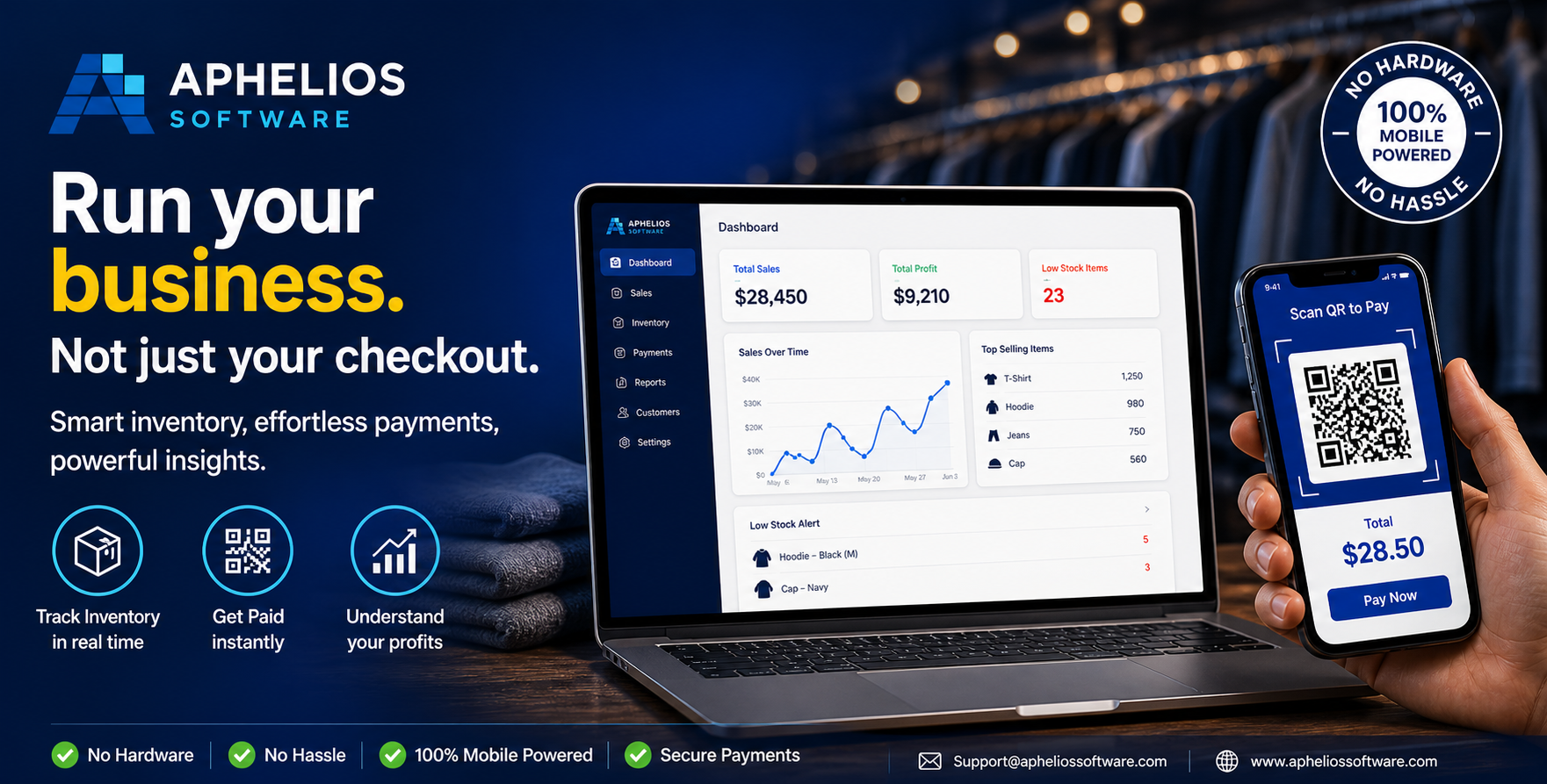
Aphelios dashboard provides real-time visibility into sales, inventory and payments
The Four Pillars of Small Business Automation
Effective automation covers four core areas of business operations. When these areas work together, they create an integrated system that runs with minimal manual intervention.
1. Inventory Management Automation
Inventory management is the area where automation delivers the fastest and most visible return on investment. Manual inventory tracking using spreadsheets or paper records is slow, inaccurate and unsustainable as your business grows.
Automated inventory management with barcode scanning transforms how you handle stock. When products arrive from suppliers, scanning their barcodes instantly updates your inventory system. Every sale automatically reduces stock levels. Stock transfers between locations are tracked in real time. Cycle counting becomes a simple scanning exercise instead of a full-day disruption.
The benefits of inventory automation include near-perfect stock accuracy, elimination of manual data entry errors, immediate visibility into stock levels across all locations and automated low-stock alerts that prevent stockouts. Businesses that automate inventory management typically reduce stock discrepancies by 90% or more.
2. Sales and POS Automation
Modern cloud POS systems automate the entire sales process from checkout to receipt. When a customer makes a purchase, the system automatically calculates totals, applies taxes, processes payments and updates inventory. No manual calculations, no separate payment terminal and no end-of-day reconciliation.
POS automation goes beyond the checkout counter. Integrated payment processing through Stripe means transactions are settled automatically. Receipts can be emailed or printed with a single tap. Sales data flows directly into your reporting system without any manual data entry.
For market traders and pop-up businesses, mobile POS automation is particularly valuable. A tablet or smartphone connected to a barcode scanner becomes a complete point of sale system that works anywhere. You can process sales, accept payments and track inventory from a market stall, festival or event.
3. Purchasing and Supplier Automation
Manual purchasing is one of the most time-consuming administrative tasks in any retail business. Someone must check stock levels, decide what to order, calculate quantities, generate purchase orders and send them to suppliers. This process is often delayed or rushed, leading to stockouts or excess inventory.
Automated purchasing systems monitor stock levels continuously and generate purchase orders when inventory reaches predetermined reorder points. The system calculates the optimal order quantity based on sales velocity, lead times and minimum order requirements. Purchase orders can be sent to suppliers automatically via email.
The time savings from purchasing automation are substantial. What used to take several hours each week can be reduced to a few minutes of review and approval. More importantly, automated purchasing ensures consistent replenishment that prevents both stockouts and overstocking.
4. Reporting and Analytics Automation
Data is only valuable if you can access it quickly and act on it. Manual reporting involves exporting data from multiple systems, consolidating it in spreadsheets and creating reports by hand. By the time the report is finished, the data is already outdated.
Automated reporting gives you real-time access to your key business metrics. Dashboard views show sales performance, inventory levels, profit margins and trends at a glance. Reports can be scheduled to generate automatically and sent to your email or phone daily.
The most powerful aspect of automated analytics is the ability to spot problems before they become serious. A sudden drop in sales for a particular product, a rise in stock levels for a category or a change in profit margins can be detected immediately, allowing you to take corrective action promptly.
How Automation Saves Money
The cost savings from automation come from multiple sources. Understanding these savings helps justify the investment in automation tools and prioritise which processes to automate first.
| Automation Area | Typical Annual Savings | Source of Savings |
|---|---|---|
| Inventory Management | 2,000 - 8,000 | Reduced labour, fewer errors, lower carrying costs |
| POS & Payments | 1,500 - 5,000 | Faster checkout, integrated payments, less reconciliation |
| Purchasing | 1,000 - 4,000 | Reduced ordering time, better quantities, fewer rush orders |
| Reporting | 1,000 - 3,000 | Eliminated manual data consolidation, real-time insights |
| Total | 5,500 - 20,000 | Combined automation benefits |
These savings do not include the indirect benefits of automation, such as improved customer satisfaction from faster service, better product availability due to reduced stockouts and more accurate financial data for informed decision making.
Getting Started with Automation
You do not need to automate everything at once. The most effective approach is to start with the processes that consume the most time or cause the most problems, then expand automation to other areas as you see results.
Step 1: Identify Your Biggest Time Wasters
Track how you and your team spend time for one week. Note every task that involves manual data entry, repetitive calculations, duplicate work or chasing information from different sources. These tasks are your automation priorities.
Step 2: Choose an Integrated Platform
The most effective automation comes from using an integrated platform rather than connecting multiple separate tools. An all-in-one system that handles inventory, POS, payments and reporting eliminates the need for manual data transfer between different systems.
Step 3: Implement Barcode Scanning
Barcode scanning is the foundation of inventory automation. Every product you sell should have a scannable barcode. When combined with cloud inventory software, barcode scanning eliminates manual data entry errors and provides real-time stock visibility.
Step 4: Configure Automated Workflows
Set up automated purchase orders, low-stock alerts, daily sales reports and payment reconciliation. Configure these workflows to run automatically based on triggers, such as stock levels reaching reorder points or the end of each business day.
Step 5: Train Your Team and Iterate
Automation only delivers results if your team uses it correctly. Invest time in training and gather feedback on what is working and what needs improvement. Most businesses find they can add more automation over time as they become comfortable with the system.
Automation Tools Every UK Small Business Needs in 2026
The automation technology landscape has evolved significantly. Here are the essential tools that every UK small business should consider.
- Cloud-Based Inventory Management: Real-time stock tracking, automated purchasing and multi-location support. Replaces spreadsheets and manual stock counts.
- Integrated POS System: Sales processing, payment collection and inventory updates in one seamless workflow. Works on tablets and smartphones for mobile businesses.
- Stripe Payment Integration: Accept card payments, process refunds and manage subscriptions with automated settlement and reporting.
- Barcode Scanning: High-speed, error-proof data capture for receiving, selling and counting stock. Compatible with most USB and Bluetooth scanners.
- Automated Reporting: Real-time dashboards and scheduled reports that eliminate manual data consolidation.
- AI-Powered Business Intelligence: Advanced analytics that identify trends, forecast demand and highlight opportunities for improvement.
How Aphelios Automates Your Business
Aphelios Software is designed specifically for UK small businesses that want to automate their operations without complexity. Our all-in-one cloud platform combines inventory management, POS, barcode scanning, Stripe payments and reporting in a single integrated system.
With Aphelios, automation happens across your entire operation. Inventory is updated automatically with every sale and stock receipt. Purchase orders are generated when stock runs low. Payments are processed and settled through Stripe. Sales and profit reports are available in real time, updated automatically without any manual input.
Our platform supports multiple stores, market stalls and warehouses from one dashboard. Whether you operate a single shop, a growing retail chain or a collection of market stalls, Aphelios provides the automation tools you need to work smarter, not harder.
Thousands of UK businesses have already discovered how Aphelios automation saves them time and money. With a free 14-day trial, there is no risk in seeing what automation can do for your business.
Start Automating Your Business Today
Join thousands of UK businesses using Aphelios to automate inventory, sales, payments and reporting. Start your free 14-day trial and discover how much time you can save.
Start Free Trial