Real-Time Document Collaboration for Small Business UK 2026 - Guide
Written by Calvin Lo | Updated August 2026 | 6 min read
Emailing a document for comments creates 5 versions, 12 email threads and zero clarity on the latest. Real-time collaboration fixes that: one document, live cursors, instant updates, no merges. For UK teams quoting and pricing daily, that means fewer errors and same-day turnarounds instead of “v7 final FINAL” loops.
We explain real-time document collaboration for UK small businesses in 2026 - how it works, what to look for, and which office suites do it best. We benchmark Aphelios, Google Docs and Microsoft 365 on presence, autosave, permission granularity, UK hosting and offline fallback, using the same OfficeDocument (Kind Document/Spreadsheet) shared across 3 browsers + mobile.
For the suite, see Online Office Software UK, Document Editor, Spreadsheet, Image Editor and Video Editor with AI and comparisons vs Google Workspace / vs Microsoft 365.
How Real-Time Collaboration Works in Aphelios
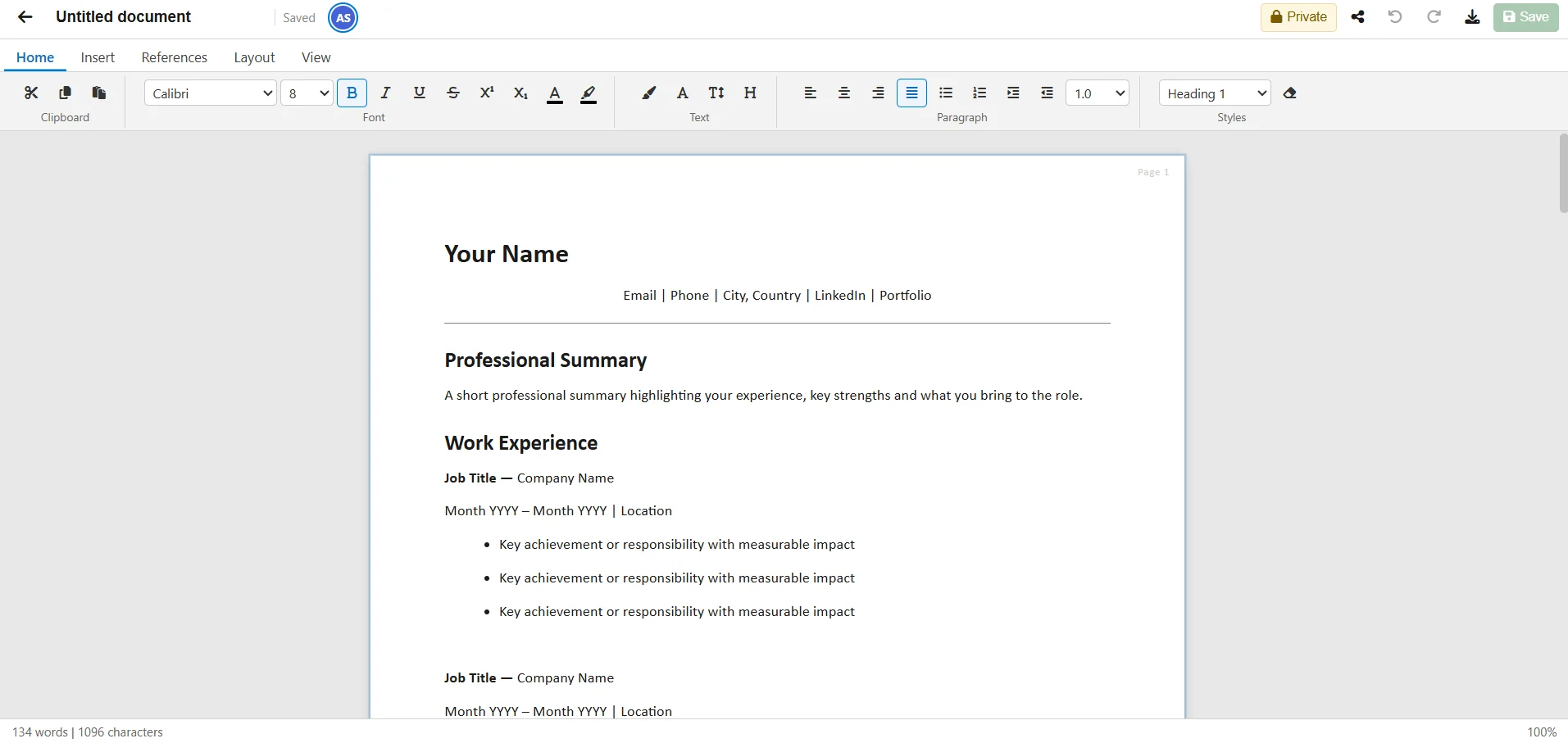
Open the same OfficeDocument (Kind Document/Spreadsheet) in two browsers. You see presence avatars (who is viewing), live carets (where they type), and last-write-wins autosave to DataJson. Toggle IsPublic to share with everyone in your workspace (TenantId) or keep Private (owner only). Generate a ShareToken 32-byte public link for read-only external access. No email, no version hell.
What to Look For (Checklist)
- Live cursors & presence: See who is where, avoid overwriting.
- Autosave & history: Continuous DataJson saves, no lost work.
- Workspace vs public: IsPublic for team, ShareToken for external, both revocable, owner-only delete.
- UK hosting: Azure UK, GDPR, TenantId isolation.
- Offline fallback: Import/export docx/xlsx for offline, re-import.
Aphelios vs Google Docs vs Microsoft
| Feature | Aphelios Office | Google Docs | Microsoft 365 |
|---|---|---|---|
| Real-time co-edit | ✓ Avatars + carets | ✓ | ✓ |
| Workspace sharing | ✓ IsPublic | ✓ Drive | ✓ OneDrive |
| Public link | ✓ ShareToken | ✓ | ✓ |
| UK hosted | ✓ Azure UK | US | EU |
| Price (5 users) | £0-£69.99 | ~£34 | £58.50 |
Conflict Resolution Explained: Last-Write-Wins vs Locking
Real-time systems must handle two people typing in the same paragraph. Google Docs uses Operational Transform (OT) and Microsoft uses Conflict-free Replicated Data Types (CRDTs) — both keep every keystroke. Aphelios takes a pragmatic SME approach: last-write-wins on DataJson with frequent autosave, plus presence avatars and live carets to prevent conflicts socially. You see who is viewing (avatar stack) and exactly where they type (coloured caret with name), so you naturally avoid editing the same line. Autosave pushes DataJson to Blob every few seconds; if two saves collide, the later timestamp wins.
For 95% of UK small-business work — price lists, quotes, SOPs — this is ideal: simpler than locking, no “document is locked by X” frustration, and no merge conflicts to resolve. The trade-off is that simultaneous typing in the exact same cell/paragraph will overwrite the earlier keystroke if it is within the same autosave window. We mitigate that by (1) showing live carets, (2) saving on blur/pause, and (3) keeping import/export xlsx/docx via WordFileService/ExcelFileService as an offline fallback for high-contention edits. For comparison, Microsoft’s CRDT is more precise but requires OneDrive and is paywalled; Google’s OT is excellent but US-hosted. If you run a 20-person drafting sprint daily, you may prefer those; for a 3–8 person team updating quotes and stock, Aphelios is faster and UK-hosted.
| Model | How It Handles Conflict | Needs Presence/Carets | Offline | Best For |
|---|---|---|---|---|
| Aphelios (last-write-wins) | Later autosave wins | ✓ Avatars + carets | Import/export | SME teams 3-8 |
| Google OT | Transforms ops, preserves both | ✓ | ✓ Offline mode | Large collab |
| Microsoft CRDT | CRDT merge | ✓ | ✓ App | Enterprise |
Permissions Deep Dive: Owner, Workspace, Public
Permissions in Aphelios map directly to UK SME reality, not enterprise RBAC complexity. Every OfficeDocument has an OwnerId and TenantId. The Owner can always read, edit, delete, toggle IsPublic, and manage ShareToken links. If IsPublic=false (Private), only the Owner sees it — perfect for HR or draft margins. If IsPublic=true (Workspace-shared), every user in the same Tenant can view and edit live, with presence and autosave. They cannot delete or toggle IsPublic — that stays owner-only. This two-state model covers 90% of cases and is audit-friendly: filter “mine/shared/all” and paginate 25 to see exactly what is workspace-visible.
For external access, generate a ShareToken 32-byte base64url link: read-only, serves the live document, revocable via RevokeShare. It is not a workspace invite and does not require a login — ideal for suppliers and accountants. For customer-facing invoices and orders, use the Customer Portal, where access is CRM-bound and login-required, not link-based. Compare to Google Drive’s link modes (Viewer/Commenter/Editor, Anyone with link, Restricted) which are powerful but easy to misconfigure, and Microsoft’s OneDrive sharing (inheritance + Direct Access) which often requires admin help. Aphelios trades granularity for clarity — and when you need a report, ask /ai to “Create a sharing policy doc”. Pair this with Document Editor, Spreadsheet, Image Editor and Video Editor in the all-in-one suite.
- Owner: Full control (edit, delete, IsPublic toggle, ShareToken create/revoke).
- Workspace (IsPublic=true): Tenant members can view/edit live; no delete/toggle.
- Public (ShareToken): Anyone with link can read live version; no edit; revocable.
- Customer Portal: CRM-tied, login required, scoped to orders/invoices.
Offline vs Online Trade-offs
Online collaboration shines for speed and shared truth, but UK SMEs also work on trains, in warehouses with patchy Wi-Fi, and on site with customers. There you need offline confidence. Pure-online suites (Aphelios, Google Docs) require connectivity for live carets and autosave; pure-offline (LibreOffice, Word desktop) gives you local speed but no sharing until you email. The practical answer is hybrid.
In Aphelios, work online when you have signal: presence avatars show who is in, carets show where, autosave guarantees no lost work, and IsPublic/ShareToken keep one live version. When you go offline, work in Word/Excel locally, then when back online import docx/xlsx via WordFileService/ExcelFileService — it preserves headings, tables, formulas, merges, column widths and multi-sheet, and your DataJson is updated. Export xlsx/csv/pdf before travel for a local backup. Google Docs offers a Chrome offline mode that syncs, but it requires setup and is US-hosted; Microsoft offers desktop apps with OneDrive sync but at £11.70/user/mo. Aphelios gives you UK-hosted online collaboration plus frictionless offline via import/export — no setup, no extension, no double cost. For SMEs that operate both ways, that hybrid is the most resilient. See Online Office Software UK, vs Google Workspace and vs Microsoft 365.
FAQ
Can we edit together live?
Yes. Open the same document/spreadsheet, see live carets and presence, autosave handles conflicts.
What if we are offline?
Work offline in Word/Excel, then import xlsx/docx. Aphelios preserves formatting and formulas.
How does conflict resolution work?
Last-write-wins on DataJson with social mitigation via presence avatars and live carets. For most SME use it is simpler than OT/CRDT locking.
Who can edit vs view?
Owner has full control; IsPublic=true gives Tenant members edit; ShareToken is read-only public. See permissions table above.
Can I work offline and sync?
Yes — edit offline in Word/Excel, re-import via file services. Online mode gives real-time collaboration UK-hosted on Azure.
Collaborate in Real Time - UK Hosted
Live co-editing with workspace sharing. From £0.
Start Free Trial