Online PDF Editor UK 2026 Guide
Online PDF Editor UK 2026 Guide – Annotate, Merge, Sign & Redact PDFs in Browser
Written by Calvin Lo | Updated August 2026 | 9 min read
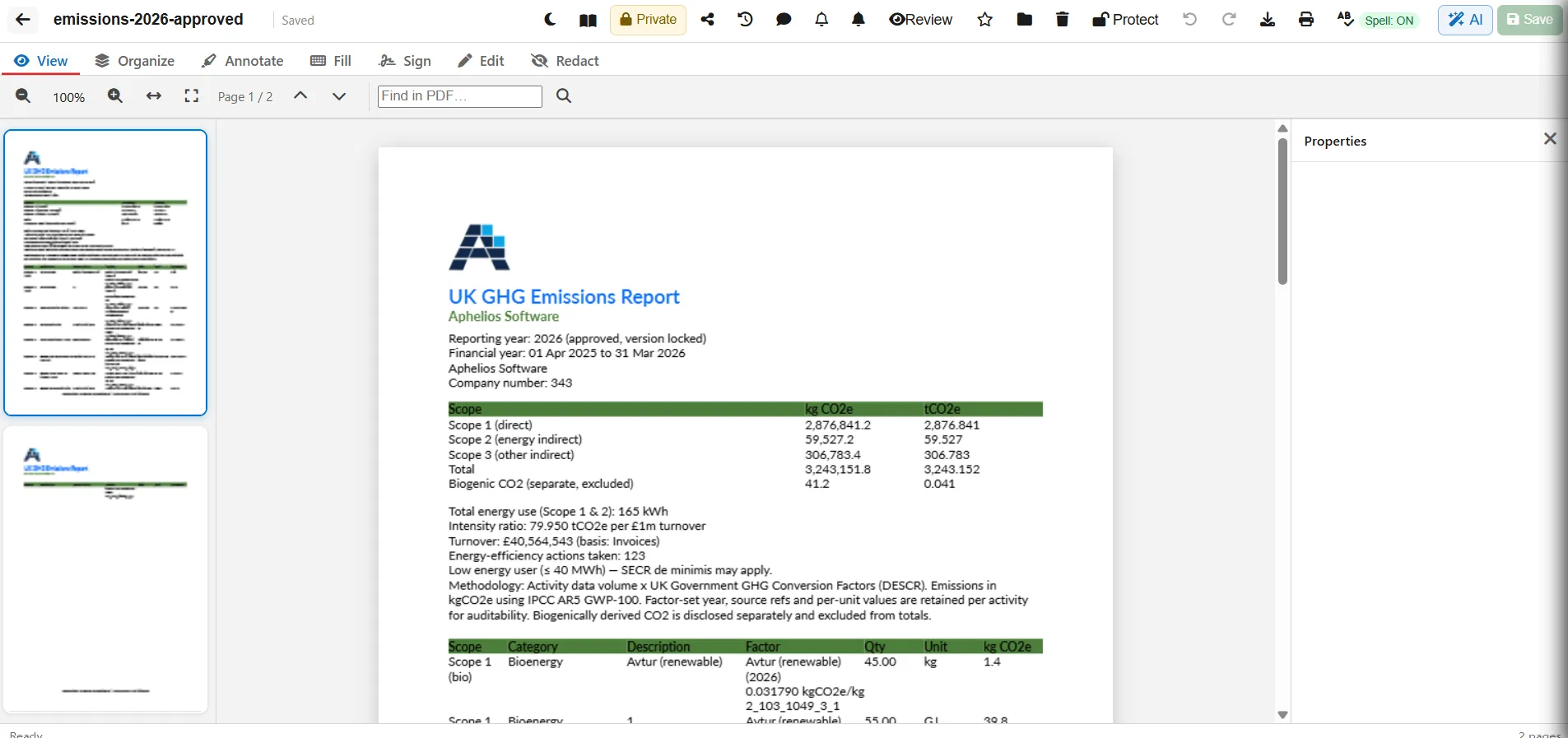
Adobe Acrobat is powerful but £19.99/mo, US-hosted and desktop-heavy. Aphelios Online PDF Editor UK gives UK SMEs the same 7-tab toolkit in the browser — View, Organize, Annotate, Fill, Sign, Edit & Redact — with UK Azure hosting, Drive folders and workspace sharing. This guide walks through every tab with UK use cases.
The 7 Tabs Explained
1. View – Zoom, Fit & Find
Zoom in/out, fit width/page, page navigation (Prev/Next) and Find in PDF with highlighted results. Ideal for long supplier price lists or contracts.
2. Organize – Rotate, Merge, OCR & Compress
Rotate 90°, delete, duplicate, insert blank, move up/down, drag thumbnails to reorder, merge any workspace PDF, extract page as new PDF, OCR scan a page to add text, and compress to shrink for email. All without leaving the browser.
3. Annotate – Highlight, Freehand & Stamps
Highlight, underline, freehand pencil, text boxes, images, rectangle/circle and stamp — with colour picker, undo/redo and delete. Great for reviewing contracts or marking up delivery notes.
4. Fill – Text Fields & Checkboxes
Add text fields and checkboxes for forms. Flatten to lock values before sending — prevents recipients editing after fill.
5. Sign – Draw, Type or Upload
Draw on pad, type with font or upload image. Save to library, place, resize and clear. Perfect for tenancy agreements, delivery notes and PO approvals.
6. Edit – Replace Text & Images
Fix typos without the source file — edit text, replace images, set colour, font size, bold/italic and add paragraphs. Quicker than round-tripping to Word.
7. Redact – Mark then Burn
Mark sensitive areas then Burn to permanently black out before download. Use for GDPR redaction — unlike covering with a rectangle, burn removes the underlying text.
Sharing & Security
Keep private, share with workspace (view/comment/edit), or send a secure external link you can revoke. Password protect exports, set star, trash 30 days, version history, comments/review with unresolved counts, print/download. UK-hosted on 6-editor Office Suite — from £29.99/mo. Try PDF Editor →
FAQ
Does it replace Adobe Acrobat?
For 90% of SME needs — yes. View, organize, annotate, fill, sign, edit and redact without £239/yr Acrobat Pro. Keep Acrobat only for advanced prepress.
Can I use it offline?
The editor needs internet; download the PDF for offline viewing. Upload again to continue editing later.