Online PDF Editor UK · New
Online PDF Editor for UK Business
Written by Calvin Lo, Founder | August 2026 | 6 min read
The complete PDF toolkit — in your browser. View, organize, annotate, fill, sign, edit & redact with drag-thumbnails, OCR scan and 4× tools. Import any PDF or create new. Save and share — no desktop software.
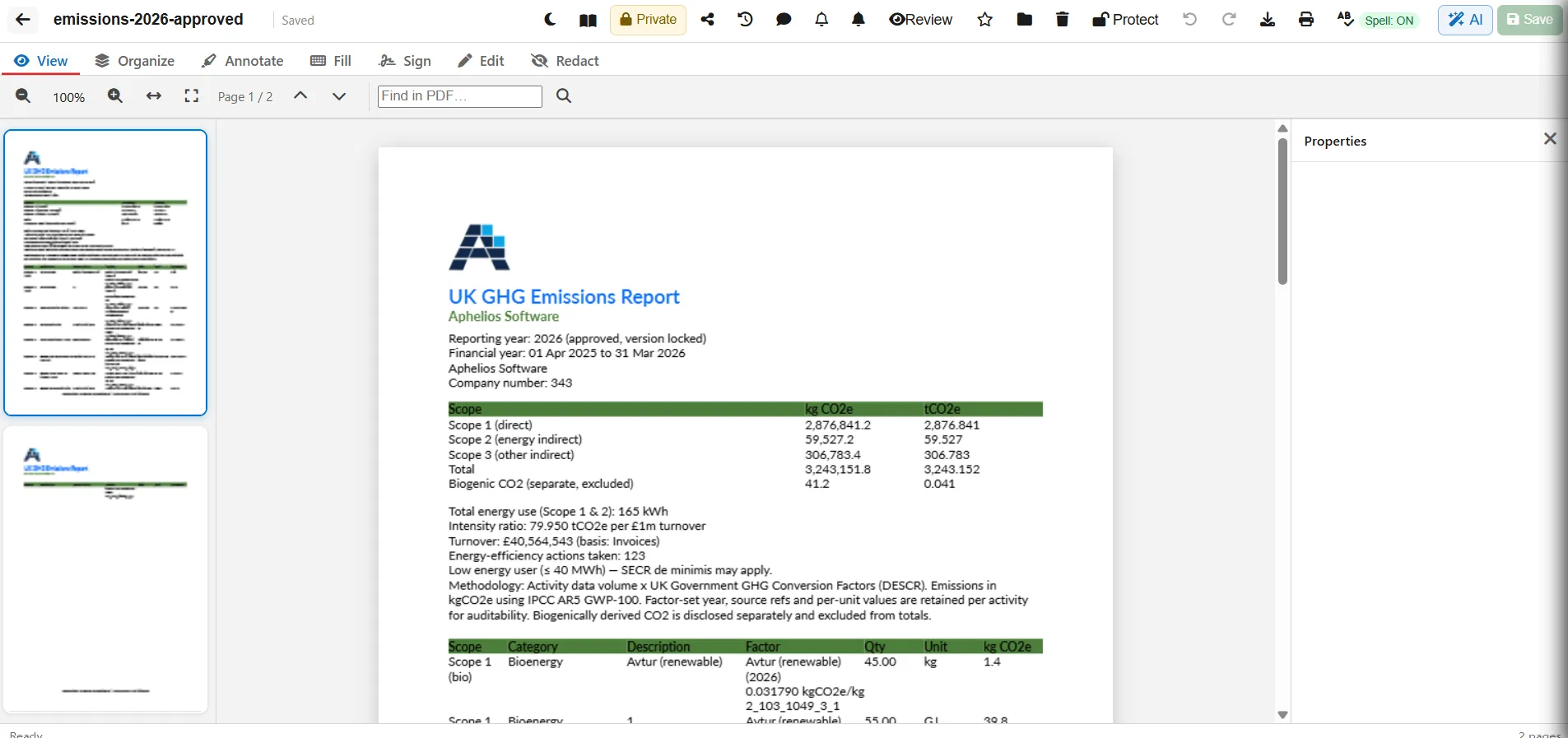
PDF Editor = 6th editor in your Office Suite (docs, sheets, presentations, images, video + PDF).
PDF Without the Desktop App
No Adobe licence, no installs — everything runs in your browser. Import any PDF or click New PDF and start editing. Use 7 focused tabs: View (zoom, fit width/page, find in PDF), Organize (rotate, delete, duplicate, insert blank, drag to reorder, merge any workspace PDF, extract page, OCR scan and compress), Annotate (highlight, underline, freehand, text box, image, rectangle/circle, stamp), Fill (text fields, checkboxes, flatten), Sign (draw/type/upload, place from library), Edit (replace text & images, colour, bold/italic), and Redact (mark then Burn to permanently black out before download).
Save automatically, password protect exports, print or download. Organise in Aphelios Drive folders, star favourites, trash/restore for 30 days, and share via workspace or secure external link. Part of Online Office Software UK — included from £29.99/mo.
Features at a Glance
View & Find
Zoom, fit width/page, page navigation and find in PDF with highlighted results.
Organize & Merge
Rotate, delete, duplicate, insert, move, drag reorder, merge any PDF, extract page, OCR scan & compress.
Annotate Anything
Highlight, underline, freehand, text boxes, images, shapes and stamps — colour picker, undo/redo.
Fill & Flatten
Add text fields and checkboxes for forms. Flatten to lock values before sharing.
Sign
Draw, type or upload signature. Save to library, place, resize and clear on any page.
Redact & Protect
Mark sensitive areas then Burn to permanently black out. Password protect before download.
Also includes: Import PDF, New PDF, Drive folders, star, trash/restore (30 days), version history, comments & review, workspace sharing (view/comment/edit), secure external link, print, download, mobile pages/properties drawers.
Headers, Sharing & Print
Keep files private, share with your workspace (view/comment/edit) or send a secure view-only link you can revoke. Comments & review track feedback with unresolved counts. Print directly or download as PDF — password protected if you enabled Protect.
Frequently Asked Questions
Can I edit PDFs online for free?
Yes — import or create PDFs and edit in browser: annotate, add text/images/shapes, fill forms, sign and redact. Download when done. Free trial included.
Can I merge and compress PDFs?
Yes — merge any workspace PDF, extract a page as new PDF, rotate/delete/duplicate/move, drag reorder, OCR scan and compress to reduce size.
Can I sign PDFs?
Yes — draw, type or upload a signature, save to library and place on any page.
Is my data secure?
UK-hosted on Azure, GDPR compliant. Workspace sharing or secure external links. Password protect exports. Pricing.
Edit PDFs Without Extra Software
View, organize, annotate, fill, sign, edit & redact — in your business workspace.
Start Free TrialNo card required · Cancel anytime · UK support