QR Code Payments for Small Business UK – Complete Setup Guide (2026)
Written by Calvin Lo, Founder of Aphelios Software | Updated July 2026 | 9 min read
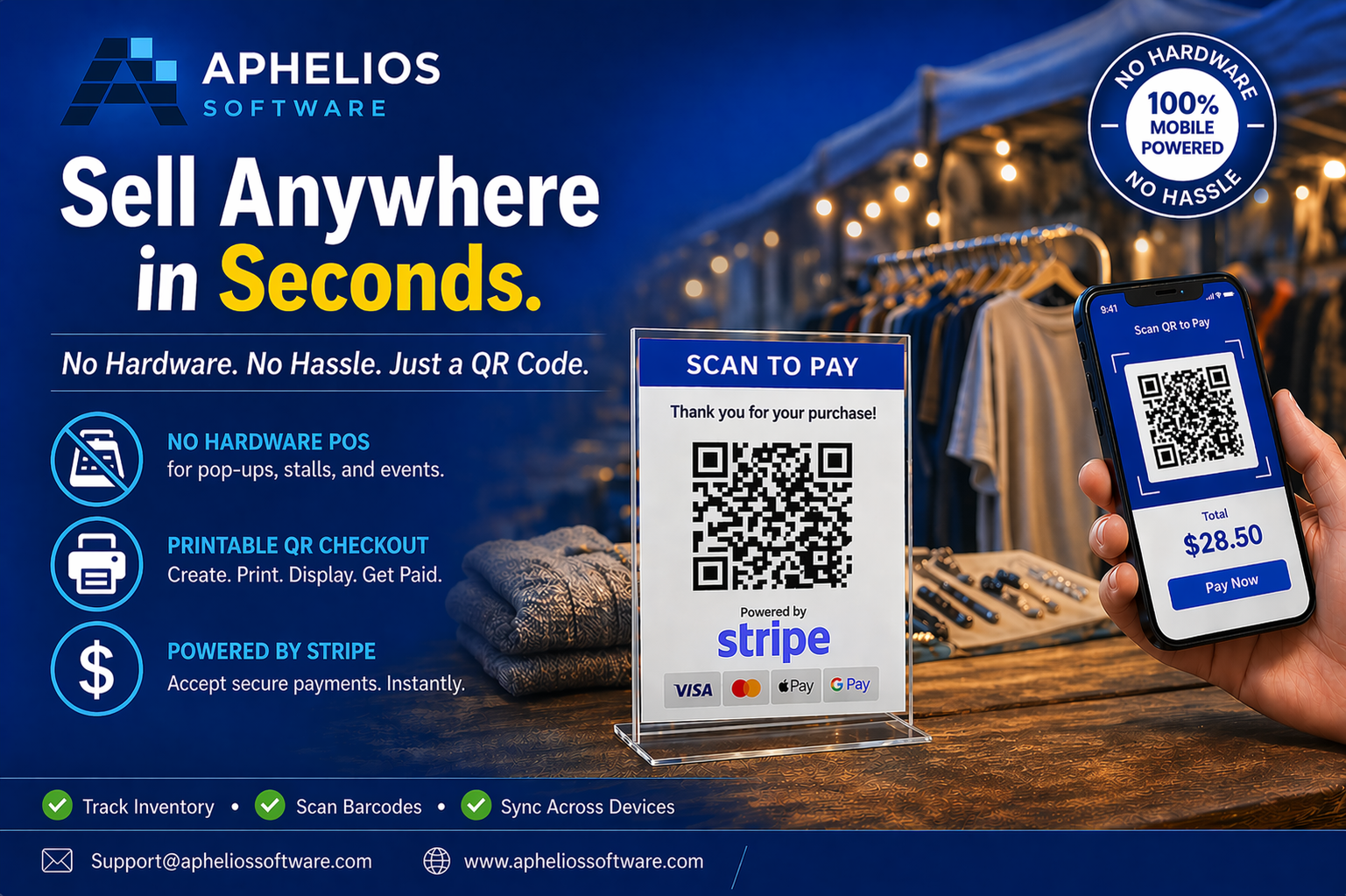
QR code payments are transforming how UK small businesses accept payments. By displaying a simple QR code, you can take contactless payments from any customer with a smartphone: no card reader, no terminal and no additional hardware required. This makes QR code payments ideal for retail shops, market stalls, pop-up shops, food trucks and service businesses.
This complete guide explains how QR code payments work, how to set them up for your UK small business and why they are becoming an essential payment method in 2026. We also compare QR code payments against traditional card terminals, break down the costs, and walk through real-world use cases so you can decide which approach is right for your business.
What Are QR Code Payments?
QR code payments allow customers to pay by scanning a QR code with their smartphone camera. The code links to a secure payment page where the customer enters their card details or uses Apple Pay / Google Pay to complete the transaction. No dedicated card reader or POS terminal is needed: the customer's phone acts as the payment device.
For businesses, QR code payments mean lower upfront costs, faster checkout during busy periods and the ability to accept payments anywhere you can display a code: on a printed sign, a digital screen, a receipt or even a product label.
The technology behind QR code payments is simple but powerful. When a customer scans a static QR code, they are directed to a payment page that may ask them to enter the amount or display a pre-set price. Dynamic QR codes, by contrast, contain the amount and product information already encoded, enabling one-tap payment with no manual entry required.
Benefits of QR Code Payments for UK Small Businesses
- No hardware required: No need to buy or maintain card readers, POS terminals or additional equipment. Your phone or a printed sign is all you need.
- Lower costs: Save on hardware purchase costs, maintenance fees and terminal rental charges. Pay only standard payment processing fees.
- Faster checkout: Customers scan and pay in seconds. Ideal for high-volume periods like market days, festivals and lunch rushes.
- Contactless and safe: No physical contact with payment devices. Customers use their own phones, which many find more hygienic.
- Works anywhere: Take payments at market stalls, outdoor events, pop-up shops, delivery points or temporary locations where traditional POS hardware is impractical.
- Integrated with inventory: When using Aphelios Software, QR code payments automatically update your stock levels and sales records in real time.
QR Code Payments vs Card Terminals: Full Comparison
To help you decide which payment method suits your business, here is a detailed comparison of QR code payments versus traditional card terminals across the factors that matter most to UK small businesses:
| Factor | QR Code Payments | Card Terminals |
|---|---|---|
| Hardware cost | £0: printed sign or digital display only | £100–£300+ upfront, plus ongoing rental |
| Setup time | 5 minutes: generate and display code | 30–60 minutes: pairing, configuration, testing |
| Transaction fees | 1.5%–2.9% + 20p (Stripe standard) | 0.3%–2.0% (Amex typically higher) |
| Monthly fees | £0: no monthly account fees | £5–£25 terminal rental + service fees |
| Customer payment method | Scan QR with phone camera, enter amount | Tap/insert card or phone on terminal |
| Offline capability | Requires customer mobile data or WiFi | Some terminals support offline mode |
| Battery reliance | None for business: customer uses own phone | Terminal battery lasts 8–12 hours |
| Portability | Extreme: a printed code fits in a pocket | Moderate: terminal is pocket-sized but needs charging |
| Security | PCI-compliant via Stripe, no skimming risk | PCI-compliant, but vulnerable to skimming devices |
| Customer trust | Growing rapidly; younger demographics prefer it | Universally trusted across all age groups |
| Integration with POS | Automatic stock/inventory updates with Aphelios | Automatic with integrated POS systems |
| Best for | Market stalls, pop-ups, food trucks, small retail | High-street shops, restaurants, any fixed location |
The best approach for most businesses is to offer both options. With Aphelios Software, you can accept payments through QR codes, Stripe card processing and a traditional POS system simultaneously, while barcode scanning keeps stock records accurate: all managed from a single dashboard with unified reporting and inventory tracking.
Stripe Fee Structure for QR Code Payments (2026)
QR code payments processed through Stripe follow the standard Stripe pricing model. Here is a breakdown of the fees you can expect for UK businesses processing payments through Stripe-integrated QR codes:
| Payment Type | Fee | Example (£10 sale) | Example (£50 sale) |
|---|---|---|---|
| UK consumer card (Visa/MC) | 1.5% + 20p | 35p | 95p |
| UK Amex | 2.9% + 20p | 49p | £1.65 |
| Apple Pay / Google Pay | 1.5% + 20p | 35p | 95p |
| International cards | 2.5% + 20p + 1.5% conversion | 60p+ | £2.20+ |
| Refunds | Fee portion refunded, 20p retained | 20p | 20p |
There are no monthly fees, minimum volumes or setup costs with Stripe. You pay only for the transactions you process. For most UK small businesses, this makes QR code payments the most cost-effective card payment method available: especially when compared to traditional merchant accounts with monthly terminal rental fees of £15–£25 regardless of sales volume.
How to Set Up QR Code Payments with Aphelios Software
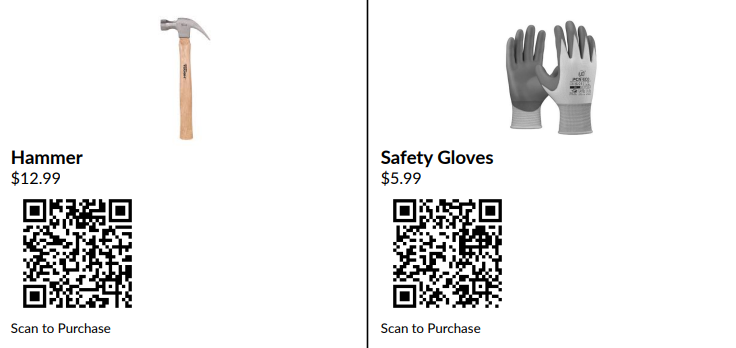
Setting up QR code payments with Aphelios Software takes just a few minutes. Here is a step-by-step walkthrough:
- Create your Aphelios account: Sign up for a free 14-day trial at app.apheliossoftware.com. No credit card required. The onboarding wizard will guide you through your business profile setup.
- Connect Stripe: Link your Stripe account to enable payment processing. Stripe handles all card payments, Apple Pay and Google Pay securely. You can create a Stripe account during setup if you do not already have one.
- Generate your QR codes: Within the Aphelios dashboard, navigate to the Payments section and generate QR codes for your products, checkout page or payment link. Each code is unique and can be used immediately. Dynamic QR codes can include product details and pre-set amounts.
- Print or display your QR codes: Print the QR codes on signs, labels, receipts or menus. Use high-quality printing on durable material for outdoor use. Alternatively, display them on a tablet, phone screen or digital kiosk at your checkout counter.
- Start accepting payments: Customers scan the QR code with their phone camera, confirm the amount (or have it pre-filled with dynamic codes), and complete the payment using their preferred method. Funds settle into your Stripe account, typically within 2–7 working days.
That is it. No technical skills required, no hardware to install and no lengthy setup process. Your inventory and sales records update automatically with every transaction.
QR Code Payment Use Cases for UK Businesses

Retail Shops
Display a QR code at the checkout counter for customers who prefer to pay with their phone. During busy periods, QR codes reduce queue times by allowing multiple customers to pay simultaneously. Retail shops can also place QR codes on product shelves for self-service purchasing or on receipts to encourage repeat orders.
Market Stalls and Pop-Up Shops
Market traders and pop-up shop owners benefit enormously from QR code payments. Without reliable WiFi or power for a traditional card terminal, a printed QR code displayed at your stall allows every customer to pay using their mobile data. This is particularly valuable at farmers markets, craft fairs, Christmas markets and temporary event spaces where setting up a full POS system is impractical.
Food Trucks and Events
Food trucks and event vendors can print QR codes on menus or display them on the side of their vehicle. Customers scan, order and pay without needing to queue at a till point. For food vendors serving hundreds of customers at festivals, QR codes can dramatically reduce wait times and increase throughput.
Service Businesses
Tradespeople, cleaners and freelance service providers can include a QR code on invoices or receipts, allowing clients to pay instantly without needing to dig out card details. This accelerates payment cycles and reduces the need for chasing late payments.
Charities and Fundraising
Charities and community organisations can display QR codes at events, on collection buckets or in shop windows to accept donations. Donors can contribute any amount using their phone, making it easy to give without carrying cash.
Security of QR Code Payments
QR code payments processed through Stripe are fully secure. Payment pages are hosted on Stripe's PCI-compliant infrastructure, customer data is encrypted with 256-bit SSL, and 3D Secure authentication is applied to every transaction. Your business never handles or stores card details directly: Stripe manages all sensitive payment data. Additionally, because customers pay through their own device, there is no risk of card skimming devices that can affect physical terminals.
To protect against QR code tampering: where malicious codes are placed over legitimate ones: always display your codes in a secure location, use tamper-evident labels for printed codes in public areas, and verify payment URLs before generating codes. With Aphelios, all QR codes link exclusively to your Stripe payment page, ensuring customers are directed to a trusted, verified checkout experience.
Choosing the Right QR Code Payment Provider
While standalone QR code payment services exist, integrating QR payments into your full business management system offers significant advantages. With Aphelios Software, your QR code payments are not just payment transactions: they are linked directly to your inventory, customer records and sales reporting. Every payment automatically updates stock levels, customer purchase history and financial reports in real time.
This integration eliminates the need for manual reconciliation between separate payment systems and inventory management, saving hours of administrative work each week. For UK small businesses looking to streamline operations while reducing payment costs, the combination of QR code payments and all-in-one business software is a powerful solution.
Frequently Asked Questions
How do QR code payments work for small businesses?
QR code payments work by displaying a QR code that customers scan with their smartphone camera. The code directs them to a secure Stripe payment page where they enter their card details or use Apple Pay/Google Pay. No card reader or terminal hardware is needed.
Are QR code payments safe for UK small businesses?
Yes. QR code payments processed through Stripe are PCI-compliant with 256-bit SSL encryption and 3D Secure authentication. Your business never handles card details directly, and there is no risk of physical card skimming devices.
What are the fees for QR code payments in the UK?
Through Stripe, UK card payments cost 1.5% + 20p per transaction, Amex costs 2.9% + 20p, and Apple Pay/Google Pay cost 1.5% + 20p. There are no monthly fees or minimum volume requirements.
Can I use QR code payments without a card terminal?
Yes, that is the main advantage. You only need a printed QR code or a digital display. Customers use their own smartphone to scan and pay: no terminal, no card reader and no extra hardware required.
Do QR code payments work for market stalls and outdoor events?
Yes. QR code payments are ideal for market stalls, pop-up shops, food trucks and outdoor events because they work anywhere the customer has mobile data. No WiFi, power or phone signal is needed on your side.
How quickly do QR code payment funds reach my bank account?
Stripe typically settles funds within 2–7 working days for UK businesses. Payouts are made to your linked UK bank account automatically.
Can I use QR code payments with my existing POS system?
Yes, when using Aphelios Software, QR code payments integrate directly with your POS, inventory and CRM. Stock levels update automatically, sales are recorded against customer profiles, and reports are updated in real time.
What is the difference between static and dynamic QR codes?
Static QR codes direct customers to a payment page where they enter the amount manually. Dynamic QR codes contain pre-set amounts and product information, allowing one-tap payment. Aphelios supports both types.
Related Articles
Stripe POS Integration for Small Business
Combine Stripe payments with POS and inventory management.
Read moreHow to Set Up Stripe Payments
Complete step-by-step guide to Stripe for UK small businesses.
Read moreQR Code Inventory System
Set up a QR code-based inventory system for your small business.
Read moreStart Accepting QR Code Payments Today
Try Aphelios free for 14 days and set up QR code payments in minutes. No hardware needed, no commitment required.
Start Free Trial