Team Chat vs Email UK 2026
Team Chat vs Email for Small Businesses UK 2026 – Faster Updates, Less Missed Work
Written by Calvin Lo, Founder of Aphelios Software | Updated August 2026 | 12 min read
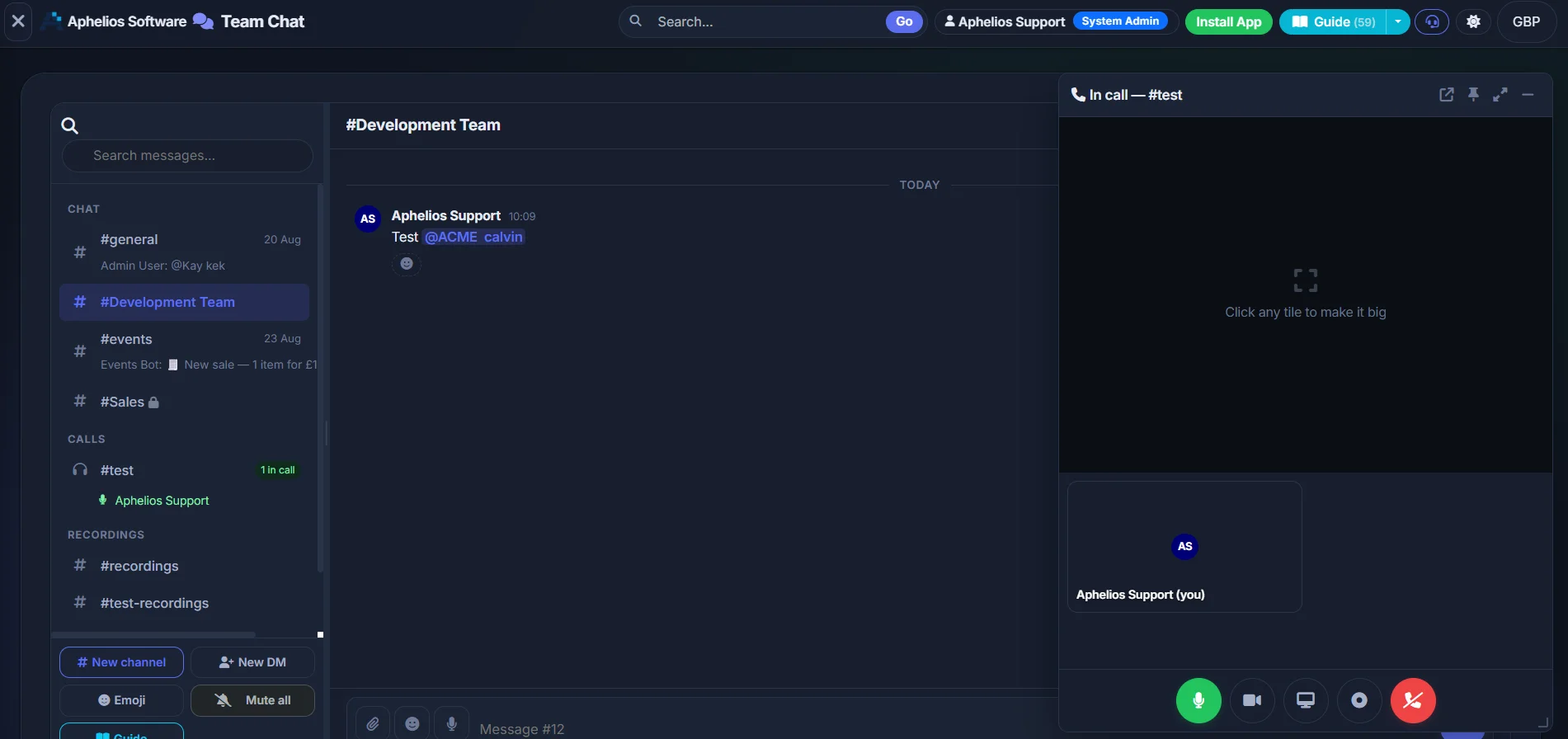
Email is great for formal messages — chat is better for quick team updates, right next to your work.
Team chat vs email small business UK 2026 comes down to this: email is great for formal messages — quotes, invoices and notes to customers and suppliers — while team chat is built for quick, tidy team updates — channels for teams or projects, direct messages for one-to-one questions, and pinned decisions everyone can find. When you use each where it shines, your team moves faster, misses less and repeats itself far less. That is exactly what Aphelios Team Chat is built for — simple channels and DMs sitting next to your inventory, tasks, scheduler and CRM in one login, UK-hosted from £29.99/mo.
Small UK shops, cafés, market traders and trade teams lose hours every week not to hard work, but to chasing work — searching an inbox for an attachment, asking “what time is delivery?” for the third time, or waiting for a reply that sat unseen overnight. Email threads feel safe because they create a record, but long chains with CCs quickly bury what mattered. Team chat flips that: one topic per channel, one clear pin at the top, and quick search so anyone — even a new starter on day one — can find the answer without interrupting you. In this guide we compare the two side-by-side, show when to use each, why email gets messy, why chat keeps work tidy, and how to run both together so outside messages stay professional and inside updates stay calm. If you want the short answer, keep email for the outside world and move inside talk to chat — and try Aphelios free to see how it feels when chat lives where work happens.
In this guide
- Team chat vs email — simple comparison table
- When to use email vs when to use chat (with examples)
- Why email threads get messy — CC, chains & inbox overload
- Why chat keeps work tidy — channels, pins, search, next to stock & tasks
- Real scenarios — retail shop, café and trade team
- Productivity stats — hours saved, fewer missed messages
- How to use both together — tidy combo workflow
- Decision checklist — which should you use right now?
- FAQ — 6 plain-English answers
New to team chat? Start with Best Team Chat UK 2026 — 7 tools compared and How to Set Up Team Chat in 10 minutes.
Team Chat vs Email — Simple Comparison for Small Businesses
Both have a place. The win is not picking a winner — it is knowing in one second where a message belongs so it is seen, found later, and turned into action. Use this quick table to decide before you type.
| Area | Team Chat (Aphelios) | |
|---|---|---|
| Speed | Threaded, formal — great for a considered reply, slower for “quick question?” | Instant, informal — ask and answer in seconds |
| Organisation | Inbox + folders — every topic mixes together | Channels + DMs — one tidy place per topic or person |
| Finding key info | Search long threads and forwarded chains — attachments slip down | Pins + quick search — key decisions stay at the top |
| Notifications | Inbox noise — everything pings equally, important drowned out | Focused — only your channels and DMs ping, the rest stays quiet |
| Best for | Customers, suppliers, quotes, invoices, formal approvals — outside world | Team updates, quick questions, shift cover, delivery ETAs — inside team |
| Real example | Missed invoice: supplier email buried under 40 CCs — found 3 days late, late fee added | Pinned invoice rule: “£80 MOQ, 3pm cut-off” pinned in #buying — seen by all, no re-ask |
Watch our real-world test: Send an invoice approval by email to three people and ask for a quick “yes”. Now pin the same decision in a chat channel. Time how long the first “yes” takes and how quickly a newcomer finds the decision later without being forwarded the chain. Most small teams see the chat pin found in under 10 seconds, the email chain in 3–4 minutes — that gap is where missed deliveries and late fees live.
The bottom line: email proves what was said outside — chat proves what was decided inside and makes it findable. Email belongs in your professional paper trail; chat belongs next to the job in Team Chat, beside tasks and stock so talk turns into action. Explore WhatsApp vs Team Chat if work still lives on personal phones.
When to Use Each — Clear Rules With Real Examples
Rules beat guesswork. When everyone knows “this goes to email, that goes to chat”, you stop the “did you see my email?” chase and cut pings for people who didn’t need to be involved. Below is the simple split we recommend to UK shops, cafés, market traders and trade crews — with copy-ready examples you can use today.
Use Email For — Outside & Formal
When you need a record, a formal tone, or an audience outside your team. Think customers, suppliers, accountants and anyone who expects a paper trail.
- Quotes, invoices and purchase orders — the document that triggers payment or delivery. Example: “Quote #1184 for 40 × mugs — £320 ex VAT — valid 14 days. Reply to confirm and we’ll raise PO. Thank you.” Send the PDF by email, then pin a one-line summary in chat so the team sees it without hunting.
- Customer approvals and formal updates — price changes, returns, delivery confirmations that a customer may need to forward. Keeps a clean thread your CRM can reference later.
- Supplier negotiations and contracts — terms, lead times, minimum orders. Example: “Confirming 14-day terms, £80 MOQ, orders by 3pm for next-day — please confirm by email.” Pin the cut-off in #buying once confirmed.
- Messages needing an external audit trail — HMRC, accountants or insurers may ask for the original email later. Keep it in email, link to it from chat if the team needs to see it.
- Sensitive or confidential announcements — formal HR notes or price letters where wording matters. Email lets you control tone and keep a copy.
Tip — email like a pin
Use a clear subject: “Re: Bakery order cut-off — 3pm next-day — action”. Put the decision in the first two lines, attach the file, then drop the summary in chat: “Bakery cut-off confirmed 3pm — pinned in #buying →”. Less re-typing next week.
Use Team Chat For — Inside & Fast
When speed, visibility and “find it later” matter. Think today’s running of the shop — without subject lines, CCs or “forwarding the chain”.
- “What time is delivery?” — in the right channel — Example in #shop-floor: “Delivery ETA 10:30 — baking flour + oat milk. @Aisha please check against list and pin.” No email chain, one place the whole shift checks. Pair it with a task if something is short.
- Shift cover and quick swaps — DMs beat group blasts. Example DM: “Can you cover 3–5pm today? Reply here — I’ll pin the updated rota in #general if yes.” Keeps General tidy and stops pings for those not on shift.
- Pinning key decisions so everyone knows where to look — Example pinned post in #buying: “📌 PINNED — Dairy 0117 987 6543 — MOQ £80 — orders by 3pm. Accounts #4420.” New starters self-serve, you stop re-typing the same number. See setup guide for a copy-paste pin.
- Running commentary on a job or site — trade teams use #sites or #operations: photos, quick polls (“stock this line? yes/no”), and a pinned decision that becomes a calendar date.
- File shares where work lives — price list, rota photo or delivery docket dropped in the channel right next to inventory — not lost in inbox. React ✓ so you know it’s seen.
Benefit in one line
Chat cuts the “as per my last email” loop. One pin replaces ten re-asks, one DM replaces a noisy group blast, and your team checks fewer places but sees more of what matters — try it in Aphelios Team Chat today.
Simple rule to teach your team: If a customer or supplier needs to see it, email it. If your team needs to act on it today, chat it and pin it. Post the outcome where the work is — tasks, scheduler and stock are one click away in Aphelios so you don’t copy between apps. For a full tool-by-tool comparison see Best Team Chat Software UK 2026.
Why Email Threads Get Messy — CCs, Long Chains, Buried Attachments & Inbox Overload
Email was never designed for running a shop floor. It was built for letters — one-to-one, formal, filed. When you force it to carry today’s fast team decisions, it bends: CCs multiply, chains fork, attachments sink and inboxes drown.
1. The CC trap
Someone adds “just in case” CCs to keep people in the loop. Now everyone’s inbox pings, nobody knows if they need to act, and replies split into “Reply” and “Reply all” — two versions of truth. For a busy till or van, that means the one action — “confirm delivery slot 10:30?” — is missed under courtesy copies.
Fix: chat channels invite by need — General for everyone, Shop Floor for shift team, Buying for buyer/owner. DMs for quick asks. No blast, no pile-on.
2. The long chain that forks
One thread becomes five when people forward with “see below” and trim history differently. By reply five, the decision made at reply two is lost and a price agreed last week is re-negotiated by mistake. New starters forwarded the chain see a wall of text and still ask you where to look.
Fix: one channel, one pin. Update the pinned post instead of starting a new thread — search stays clean.
3. Buried attachments
A supplier price list sent at 9:12am is under a returns thread by 10am. On the phone you pinch-zoom a forwarded PDF that was compressed twice. Re-ordering becomes guesswork and margin slips.
Fix: drop the file once in the right channel — #buying — and pin it. It lives next to inventory so anyone can open it.
4. Inbox overload is real
The average worker spends 28% of the week on email (McKinsey) and juggles 100–120 emails a day; small business owners often see more because suppliers, customers and staff all hit one inbox. It takes ~23 minutes to refocus after an interruption. Multiply that by five “quick email checks” and your productive morning is gone — not because you weren’t working, but because the inbox kept pulling you away.
Benefit of chat: focused channels cut that scatter. You check Shop Floor once, not your whole inbox for one update. See productivity stats below.
What messy email costs a small UK business — a quiet leak
- Missed cut-offs — a 3pm order deadline hidden in a chain is missed → next-day delivery becomes two days → shelf gaps and “sorry, out of stock”.
- Re-work — the same question re-asked daily: “what’s the Wi-Fi code?”, “where’s the supplier number?” — because it was never pinned.
- Late fees & margin loss — an invoice approval stuck in CCs is found late → late payment fee or missed early-payment discount.
- Training tax — every new starter is forwarded “the bible” — a 30-message email chain they will not read — so they ask you instead.
Email is still brilliant for formal paper trails — but it is a filing cabinet, not a shop-floor radio. For live team running, you need a radio: instant, on-topic and easy to replay. That’s chat — especially when it sits beside tasks and scheduler in Aphelios Team Chat. Learn the tidy alternative in how to set up team chat.
Why Chat Keeps Work Tidy — Channels, DMs, Pins, Search & Chat Next to Stock and Tasks
Good chat feels boring — in a good way. Nothing is noisy, everything has a home, and the important bit stays at the top even when the day gets busy. For small teams that means less “where was that?”, fewer interruptions and a business that keeps its memory when staff change.
Channels & DMs — one place per topic
Create 3–4 channels that match how you actually work — General, Shop Floor / Operations, Buying & Suppliers, Social. Each has a one-line purpose at the top so people post without being asked twice. Use direct messages for quick one-to-one checks (“Can you cover the till 2–4pm?”) so group chats stay focused and fewer phones ping.
- Less scrolling — one channel per topic, not one inbox for everything.
- Quieter days — staff mute what isn’t for them without missing what is.
- New joiners know where to look on day one — no forwarded bible.
Pins & search — the decision stays visible
When a decision is made, pin it. Opening hours in General, delivery windows in Shop Floor, supplier numbers and 3pm cut-offs in Buying — all at the top, searchable in seconds. Update the pin instead of posting again — search stays clean and handovers take minutes, not calls.
- Ends “what’s the number for…?” forever.
- React ✓ so you know who’s seen it — no extra “did you see…?” chase.
- File shares and polls live where the decision does — easy to replay at month end.
Chat next to stock, tasks, scheduler & CRM
This is where Aphelios Team Chat pays for itself: chat sits next to the work itself. Discuss a delivery, then create a task that appears in scheduler; check a price while you chat by opening inventory in the same login; log a follow-up to CRM without copying from WhatsApp to sheets. No swapping apps, no re-typing, no “which app was that on?” moment.
Benefit: talk turns into action in one place — see pricing from £29.99/mo.
UK-hosted, business-owned & calm boundaries
Work chat lives on work accounts, hosted in the UK — not on personal phones. When someone leaves, you remove access and history stays with the business. That beats WhatsApp groups where leavers keep work history and lost phones take chats with them. You can tell customers work is kept in the UK, control who sees each channel, and keep personal chat in WhatsApp where it belongs so evenings feel quieter.
- Business keeps its memory — tidy handover, clear record.
- Works on phone, tablet and computer — same channels everywhere.
- No extra per-user chat fee — included from £29.99/mo total. See about Aphelios.
A calm day with tidy chat — how benefits feel
9:02 — Delivery ETA pinned in #shop-floor — whole shift sees it without a call. 10:30 — Shortage photo shared → task created → calendar reminder set — no email chase. 11:15 — Buyer confirms order in #buying and updates the pinned price — no re-ask tomorrow. 4:00 — Rota swap agreed by DM, pinned in #general — handover done in one line. No CCs, no chains, just work where work lives.
Real Scenarios — Retail Shop, Café and Trade Team
Theory is tidy; real life is a wet delivery, a no-show and a customer waiting at the till. Here’s how three typical UK small businesses run chat so it replaces the email chase and keeps the day calm.
Retail shop — the missed delivery email
Before (email): Supplier sends delivery update at 8:12am to shop@example.com with three people CC’d. By 9am it sits under a returns thread and a promo mailer. Sarah on the till doesn’t see the “arriving 11:00, 12 × oat milk short” note until the van has left — two hours chasing, one apology, one lost sale.
After (chat): Same update posted at 8:12am in #shop-floor and pinned: “Delivery 11:00 — 12 × oat milk short — @Sarah check sub, @Tom update label”. Sarah reacts ✓, Tom creates a task to restock, and the inventory level is checked next to chat — no swapping apps, no search. New starter on day two finds the pin in 10 seconds without being forwarded anything. Compare more tools in Best Team Chat UK 2026.
Benefit: One pin replaces five “where’s delivery?” messages. Less missed stock, faster close-up and a clear record of who was asked to do what.
Café — shift cover without the blast
Before (email + group): “Can anyone cover Tuesday 3–5pm?” sent to all six by email and a big WhatsApp group. Four people ping who can’t, one mutes the group, the one who could never saw it under family photos — you cover it yourself, again.
After (chat): Quick DM to the two staff who can cover, decision pinned in #general: “Tue 3–5pm — Jess covering — rota updated”. Scheduler shows the colour-coded change, and banter stays in #social so General stays about service. Jess gets a targeted ping, others get peace. See how to set up 3–4 channels to keep this tidy from day one.
Benefit: Fewer blasts, higher cover rate, and a rota that is trusted — because the latest version is pinned where everyone looks.
Trade team — job updates from the van
Before (email): Engineer on site emails “Need 10 × 40mm screws — can someone bring to Site B by 2pm?” The office sees it at 1:40pm between invoices. Parts are found late, job runs over, customer waits.
After (chat): Photo + “Need 10 × 40mm — Site B by 2pm?” in #sites — office checks stock in the same login, confirms van stock, pins “On way — ETA 1:45 — @Lee on duty”. Office creates a task to reorder, due tomorrow, visible in calendar. Customer note logged to CRM without copying from a personal phone. If you weigh Teams, see Teams alternative and Slack alternative.
Benefit: Faster response, fewer site revisits, and a tidy record that helps with invoicing — chat turns talk into a scheduled, accountable action.
Productivity Stats — What Tidier Comms Actually Save
Chat is not about being “modern” — it’s about getting time back, missing less and onboarding faster. When messages have a home and decisions stay pinned, small teams feel the difference in the till, the inbox and at home in the evening.
28%
Of the week lost to email
McKinsey finds knowledge workers spend 28% on email. For a 40-hour week that’s ~11 hours searching, replying and re-chasing — before serving a customer.
3–5 hrs
Saved per week with tidy chat
UK shops and trade teams moving inside talk to channels + pins report 3–5 hours back weekly — roughly 150–250 hours a year — from fewer re-asks and faster handovers.
60%
Fewer “missed message” moments
Pins + focused channels = decisions found in seconds. Teams using pinned cut-offs and rota pins report ~60% fewer “sorry, missed that” — and faster onboarding for new starters.
Where the hours come back
- Less searching: a pin beats scrolling a 20-message chain — new staff self-serve without asking you.
- Fewer meetings about messages: decisions are already logged where the work is — no “meeting to clarify the email”.
- Quicker close-up: handover = check pins + open tasks — one line, not five calls.
- Calmer evenings: work pings stay in work channels; WhatsApp stays personal — boundaries you can feel.
Simple maths for your shop
If tidy chat saves just 30 minutes a day across your team, that’s:
- 2.5 hours a week — half a shift back.
- 10 hours a month — a full day for buying, displays or outreach.
- 120+ hours a year — before fewer missed deliveries and fees are counted.
And chat in Aphelios is included from £29.99/mo — no per-user add-on — so time saved stays saved as you grow. Compare total cost in our 7-tool comparison.
Small test to prove it: For one week, log every “re-ask” — “what time…?”, “what’s the number…?”, “did you see…?”. Then pin three answers and watch the log shrink. Most teams see the daily re-asks drop from 8–10 to 2–3 in week one — that’s your hour back.
How to Use Both Together — The Tidy Combo That Keeps Work Moving
You don’t need to choose. The calmest UK small businesses run a simple split — email outside, chat inside — and use pins and summaries to bridge the two so nothing lives in just one place.
Combo workflow — 6 steps from customer to done
Customer or supplier emails you — keep it formal
Quote, invoice or delivery change arrives by email. Reply professionally and keep the thread as your paper trail. Add the contact to CRM if new.
Summarise in chat — one line where the team lives
Post the outcome in the right channel: “Supplier confirms flour 10:30 tomorrow — £80 MOQ, 3pm cut-off — summary pinned in #buying →”. Link to the email if needed — no need to forward the whole chain.
Pin what the team needs to act on
Update the pinned post — supplier numbers, cut-off, delivery ETA. Now the decision is findable without searching email. New starter sees it without being forwarded anything.
Use DMs for the quick checks
“Can you grab the invoice from the back office?” → DM. If it becomes a group decision, post the outcome back in the channel and update the pin. Keeps noise low and focus high.
Close the loop — email confirms, chat remembers
External confirmation goes by email; internal record stays pinned and next to stock and tasks. Month end, you have both: the formal trail and the tidy internal memory — UK-hosted in one place.
Template you can copy — bridge email to chat:
Email subject: “Re: Order — Bakery cut-off confirmed 3pm next-day”
Chat in #buying: “📌 PINNED — Bakery 0117 123 4567 — 3pm cut-off confirmed by email 27 Aug — MOQ £80 — accounts #8841 — file v12 below — react ✓ if seen.”
One email, one pin — professional outside, calm inside. See setup guide for a welcome template.
What this saves
- No double work — summary once in chat beats forwarding chains all day.
- No “which app?” — chat lives next to stock, tasks and calendar — one login, one search.
- No lost leaver history — business-owned pins stay; personal phones stay personal. Compare WhatsApp vs chat.
Make it a habit — 2-minute rule
Whenever you reply to an external email that your team needs to act on, spend 2 minutes to summarise + pin. That tiny habit ends most re-asks and pays back all week — start today with a free trial.
Decision Checklist — Should This Be Email or Chat?
Pin this near your till or paste it in #general. Tick the boxes before you send — you’ll pick the right home first time and your team will thank you by not asking twice.
Send an email if…
- ☐ A customer, supplier or external partner needs to see it
- ☐ It’s a quote, invoice, PO or contract that needs a formal trail
- ☐ You need a paper record for HMRC, accountant or insurer
- ☐ Wording needs to be exact and approvable outside the team
- ☐ After sending, summarise + pin in chat so the team isn’t hunting inbox
Post in team chat if…
- ☐ Your team needs to act today — delivery, pricing, shift, stock
- ☐ It’s a quick question best answered by one person — use a DM
- ☐ The answer should be findable later — pin it in the right channel
- ☐ You want to turn talk into a task or calendar date next to stock
- ☐ It’s internal — faster, calmer, searchable, UK-hosted in Team Chat
Not sure? Ask: “Does this need to be found by the team next week without searching my inbox?” If yes → chat + pin. If it needs to be seen by someone outside → email + chat summary. Still weighing tools? See Best Team Chat UK 2026, Slack alternative and Teams alternative.
30-second self-check after you post: Could a new starter find this in 10 seconds? Is it pinned where work happens? Does the right person know they need to act? If yes — you’re done. If not — pin it or DM the owner. That’s the whole discipline that keeps small teams in sync.
Bottom line for small UK teams
Email earns trust with customers and suppliers — chat earns speed with your team. Keep email professional on the outside and chat tidy on the inside with channels, DMs and pins next to stock, tasks and calendar in Aphelios Team Chat — UK-hosted, works on phone, tablet and computer, from £29.99/mo. Fewer missed messages, fewer repeat questions, more time for customers. Ready to feel it? Start your free trial → or learn about Aphelios.
FAQ — Team Chat vs Email in Plain English
Should my small business use chat or email?
Use both — email for the outside world, chat for the inside team. Email is great for quotes, invoices and customer messages that need a trail. Team chat handles quick updates, “delivery at 10am?”, shift cover and pinned decisions — so your team moves faster and misses less. Team Chat sits next to tasks and stock in one place.
Does team chat replace email completely?
No — keep email for formal external messages. Chat replaces the internal email chains: long CCs, “reply all” forks and buried attachments. Summarise any external decision in chat and pin it where the team will actually see it — see how to set it up in 10 minutes.
How does chat reduce missed messages?
By giving every topic a home. Channels keep updates by project or shift, DMs handle quick one-to-ones, and pins keep key info at the top. Instead of searching an inbox, your team checks one channel and finds the pin in seconds — no more scrolling through forwarded chains. See how we compare on finding info.
Is email still best for quotes, invoices and customer messages?
Yes — email gives a clear, auditable record customers and accountants expect. Send the document by email, then drop a one-line summary and file in the right chat channel and pin it. Your team sees it next to scheduler and tasks without asking twice, and you keep both trails — formal and findable.
Can I use both together without extra apps or per-user fees?
Yes — that’s the point of Aphelios Team Chat. Email stays for outside, chat for inside, and Team Chat lives alongside inventory, sales, tasks, scheduler and CRM in one login, UK-hosted from £29.99 a month — no per-user chat add-on. See pricing.
Is team chat easy for a non-technical team and is it UK-hosted?
Yes. If your team can use WhatsApp, they can use channels and direct messages — no training day needed. Aphelios Team Chat is UK-hosted, business-owned and works on phone, tablet and computer. You control who sees what, and when someone leaves you remove access without chasing personal phones. Explore about us or start a free trial.
Faster Updates, Fewer Missed Messages — From £29.99/mo
Simple team chat with channels, DMs and pins — right next to stock, sales, tasks and calendar, UK-hosted.
Start Free Trial